Performance Profiling and Optimization Workflows
Performance optimization isn’t guesswork. It’s a systematic process of measurement, analysis, and improvement. After years of chasing down bottlenecks in production systems, I’ve learned that the difference between amateur and professional optimization comes down to workflow.
Today I’m sharing the profiling workflows that have helped me ship faster, more efficient systems across multiple projects and platforms.
The Performance Optimization Mindset
Before diving into tools and techniques, let’s establish the foundational principles:
Rule 1: Measure First, Optimize Second
Never optimize without data.
The most common mistake I see is developers optimizing based on intuition. Your gut feeling about where the bottleneck is? Probably wrong.
Wrong Approach:
1. Feel like database is slow
2. Add caching everywhere
3. Hope for improvement

Right Approach:
1. Profile actual execution
2. Identify real bottleneck
3. Optimize with measurement
4. Verify improvement
Rule 2: Focus on Impact, Not Elegance
A 2ms improvement to a function called once per request? Not worth it.
A 10ms improvement to a function called 1000 times per request? Critical.
Optimization is about ROI: Time invested vs. performance gained vs. impact on users.
Rule 3: Don’t Break Things
Fast but broken is useless. Every optimization needs:
- Comprehensive test coverage
- Performance regression tests
- Monitoring to catch issues
The Performance Profiling Workflow
Here’s the systematic workflow I use for every performance investigation:
Phase 1: Establish Baseline
You can’t improve what you don’t measure.
Step 1: Define Success Metrics
What are you actually optimizing for?
Common Performance Metrics:
- Response time (p50, p95, p99)
- Throughput (requests per second)
- Resource utilization (CPU, memory, I/O)
- Error rates under load
- Time to first byte (TTFB)
Step 2: Capture Current State
Use production-like data. Synthetic benchmarks lie.
Tools for Baseline Measurement:
- APM Solutions: New Relic, Datadog, Dynatrace
- Custom Instrumentation: OpenTelemetry, Prometheus
- Load Testing: k6, Gatling, Apache Bench
# Example: Baseline with Apache Bench
ab -n 10000 -c 100 https://api.example.com/endpoint

# Key metrics to capture:
# - Requests per second
# - Time per request (mean)
# - Percentage served within certain time (95%)
Step 3: Document Everything
Create a performance baseline document:
## Performance Baseline - API Endpoint /users/search
Date: 2025-09-15
Environment: Production-like staging

### Current Performance
- p50 response time: 245ms
- p95 response time: 890ms
- p99 response time: 1.4s
- Throughput: 120 req/s
- Error rate: 0.02%

### System Resources
- CPU usage: 45% average
- Memory: 2.1GB / 4GB
- Database connections: 25 / 100

### Identified Issues
- High p99 indicates inconsistent performance
- Database query time accounts for 70% of total time
Phase 2: Profile the Application
Now we dig into the actual code execution.
CPU Profiling
Find where computational time is spent.
Node.js Example:
// Using clinic.js for Node.js profiling
// Install: npm install -g clinic

// Run with profiler
clinic doctor -- node server.js

// Load test your application
// clinic will generate a report showing:
// - Event loop delay
// - CPU usage patterns
// - I/O bottlenecks
Python Example:
import cProfile
import pstats

# Profile your code
profiler = cProfile.Profile()
profiler.enable()

# Your code here
result = expensive_function()

profiler.disable()

# Analyze results
stats = pstats.Stats(profiler)
stats.sort_stats('cumulative')
stats.print_stats(20)  # Top 20 functions by cumulative time
Go Example:
import (
    "os"
    "runtime/pprof"
)

// CPU profiling
f, _ := os.Create("cpu.prof")
pprof.StartCPUProfile(f)
defer pprof.StopCPUProfile()

// Your code here
performWork()

// Analyze with: go tool pprof cpu.prof
Memory Profiling
Find memory leaks and inefficient allocations.
Node.js Heap Snapshots:
// Take heap snapshot
const v8 = require('v8');
const fs = require('fs');

function takeHeapSnapshot() {
  const snapshot = v8.writeHeapSnapshot();
  console.log(`Heap snapshot written to ${snapshot}`);
}

// Compare snapshots before/after to find leaks
// Load in Chrome DevTools for analysis
Python Memory Profiling:
from memory_profiler import profile

@profile
def memory_intensive_function():
    # Your code here
    data = [i for i in range(1000000)]
    return process_data(data)

# Run and see line-by-line memory usage
I/O and Network Profiling
Often the biggest bottleneck is waiting.
Database Query Analysis:
-- PostgreSQL: Explain analyze
EXPLAIN ANALYZE
SELECT u.*, p.title
FROM users u
JOIN posts p ON u.id = p.user_id
WHERE u.created_at > '2025-01-01';

-- Look for:
-- - Sequential scans (should be index scans)
-- - High execution time
-- - Large row counts being processed
Network Tracing:
# Trace HTTP requests
curl -w "@curl-format.txt" -o /dev/null -s https://api.example.com

# curl-format.txt:
# time_namelookup:  %{time_namelookup}\n
# time_connect:     %{time_connect}\n
# time_starttransfer: %{time_starttransfer}\n
# time_total:       %{time_total}\n
Phase 3: Identify Bottlenecks
Now we analyze the profiling data to find the real problems.
The 80/20 Rule
In most applications, 80% of the time is spent in 20% of the code.
Find that 20%.
Example Profiling Output:
1. database_query()      - 65% of total time
2. json_serialization()  - 15% of total time
3. authentication()      - 8% of total time
4. everything_else       - 12% of total time

Focus: Optimize items 1 and 2 first
Common Bottleneck Patterns
N+1 Query Problem:
// Bad: N+1 queries
async function getBlogPosts() {
  const posts = await db.query('SELECT * FROM posts');

  for (let post of posts) {
    // This runs a query for EACH post
    post.author = await db.query('SELECT * FROM users WHERE id = ?', post.user_id);
  }

  return posts;
}

// Good: Single join query
async function getBlogPosts() {
  return db.query(`
    SELECT posts.*, users.name as author_name
    FROM posts
    JOIN users ON posts.user_id = users.id
  `);
}
Synchronous Blocking:
// Bad: Blocking operations
function processData(items) {
  return items.map(item => {
    // Blocks entire process
    const result = fs.readFileSync(`/data/${item.id}.json`);
    return transform(result);
  });
}

// Good: Async operations
async function processData(items) {
  return Promise.all(items.map(async item => {
    const result = await fs.promises.readFile(`/data/${item.id}.json`);
    return transform(result);
  }));
}
Inefficient Algorithms:
# Bad: O(n²) complexity
def find_duplicates(items):
    duplicates = []
    for i in range(len(items)):
        for j in range(i+1, len(items)):
            if items[i] == items[j]:
                duplicates.append(items[i])
    return duplicates

# Good: O(n) complexity
def find_duplicates(items):
    seen = set()
    duplicates = set()
    for item in items:
        if item in seen:
            duplicates.add(item)
        seen.add(item)
    return list(duplicates)
Phase 4: Implement Optimizations
Now we actually make things faster.
Optimization Strategy Hierarchy
Level 1: Algorithmic Improvements The biggest wins come from better algorithms.
Example: Changing from O(n²) to O(n log n) algorithm can give 100x+ speedup.
Level 2: Caching Don’t compute what you’ve already computed.
// Simple in-memory cache
class Cache {
  constructor(ttl = 60000) {
    this.cache = new Map();
    this.ttl = ttl;
  }

  async get(key, fetchFn) {
    const cached = this.cache.get(key);

    if (cached && Date.now() - cached.timestamp < this.ttl) {
      return cached.value;
    }

    const value = await fetchFn();
    this.cache.set(key, { value, timestamp: Date.now() });
    return value;
  }
}

// Usage
const cache = new Cache();
const user = await cache.get(`user:${id}`, () => db.getUser(id));
Level 3: Database Optimization Indexes, query optimization, connection pooling.
-- Add index for common queries
CREATE INDEX idx_users_email ON users(email);
CREATE INDEX idx_posts_user_created ON posts(user_id, created_at DESC);

-- Use partial indexes for filtered queries
CREATE INDEX idx_active_users ON users(email) WHERE active = true;
Level 4: Parallelization Do multiple things at once.
// Sequential: 3 seconds total
const userData = await fetchUser(userId);      // 1s
const postsData = await fetchPosts(userId);    // 1s
const likesData = await fetchLikes(userId);    // 1s

// Parallel: 1 second total
const [userData, postsData, likesData] = await Promise.all([
  fetchUser(userId),
  fetchPosts(userId),
  fetchLikes(userId)
]);
Level 5: Architecture Changes Sometimes you need bigger changes.
- Add caching layer (Redis)
- Implement message queues for async processing
- Add CDN for static assets
- Horizontal scaling with load balancers
Phase 5: Measure Impact
Did it actually work?
A/B Testing for Performance
Run both versions in production and measure:
// Simple feature flag for performance testing
function getRecommendations(userId) {
  const useNewAlgorithm = userId % 10 === 0; // 10% of users

  const startTime = performance.now();
  const result = useNewAlgorithm
    ? newRecommendationAlgorithm(userId)
    : oldRecommendationAlgorithm(userId);
  const duration = performance.now() - startTime;

  // Log metrics
  metrics.histogram('recommendation.duration', duration, {
    algorithm: useNewAlgorithm ? 'new' : 'old'
  });

  return result;
}
Performance Regression Tests
Automate performance testing in CI/CD:
// Example with Jest
describe('Performance Tests', () => {
  it('should process 10k items in under 100ms', async () => {
    const items = generateTestData(10000);

    const startTime = performance.now();
    await processItems(items);
    const duration = performance.now() - startTime;

    expect(duration).toBeLessThan(100);
  });

  it('should handle 1000 concurrent requests', async () => {
    const requests = Array(1000).fill().map(() =>
      fetch('http://localhost:3000/api/test')
    );

    const startTime = Date.now();
    const results = await Promise.all(requests);
    const duration = Date.now() - startTime;

    const successRate = results.filter(r => r.ok).length / 1000;
    expect(successRate).toBeGreaterThan(0.99);
    expect(duration).toBeLessThan(5000);
  });
});
Real-World Case Study
Let me share a recent optimization I did for an API endpoint:
The Problem
A search endpoint was consistently slow:
- p50: 1.2s
- p95: 3.4s
- p99: 8.2s
Users were complaining. Time to profile.
Investigation
Step 1: CPU Profiling Revealed 80% of time in database query execution.
Step 2: Database Analysis
EXPLAIN ANALYZE
SELECT * FROM products
WHERE name ILIKE '%search_term%'
  AND category_id IN (1,2,3,4,5)
ORDER BY popularity DESC
LIMIT 20;

-- Result: Sequential scan on 500k rows
-- Execution time: 1.2 seconds
Step 3: Identified Issues
- No index on
namecolumn for ILIKE searches - Full-text search would be better
- Sorting on unindexed
popularitycolumn
The Solution
1. Added full-text search index:
-- Create tsvector column
ALTER TABLE products ADD COLUMN search_vector tsvector;

-- Populate it
UPDATE products SET search_vector = to_tsvector('english', name || ' ' || description);

-- Create GIN index
CREATE INDEX idx_products_search ON products USING GIN(search_vector);

-- Create trigger to keep it updated
CREATE TRIGGER products_search_vector_update
BEFORE INSERT OR UPDATE ON products
FOR EACH ROW EXECUTE FUNCTION
tsvector_update_trigger(search_vector, 'pg_catalog.english', name, description);
2. Added composite index for sorting:
CREATE INDEX idx_products_category_popularity
ON products(category_id, popularity DESC);
3. Optimized query:
SELECT * FROM products
WHERE search_vector @@ plainto_tsquery('english', 'search_term')
  AND category_id = ANY(ARRAY[1,2,3,4,5])
ORDER BY popularity DESC
LIMIT 20;

-- New execution time: 15ms
The Results
Performance Improvement:
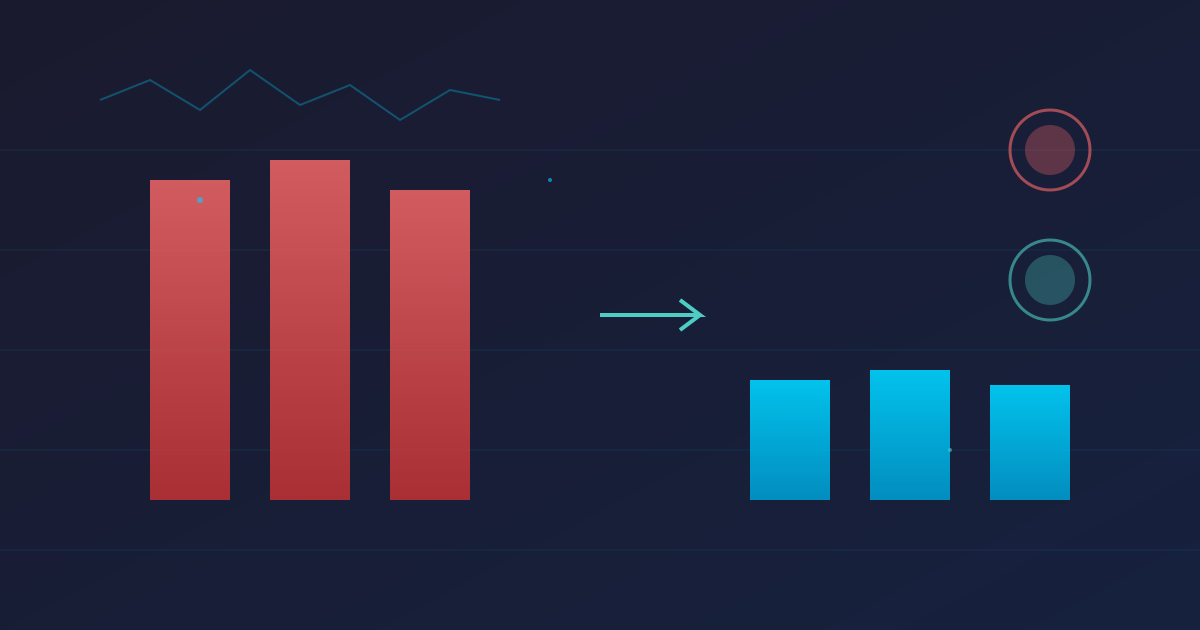
- p50: 1.2s → 45ms (96% improvement)
- p95: 3.4s → 95ms (97% improvement)
- p99: 8.2s → 180ms (98% improvement)
Impact:
- Search completion rate increased 23%
- User complaints dropped to zero
- Database CPU usage reduced by 35%
Time invested: 4 hours User impact: Massive
Essential Performance Tools
Here’s my toolkit for different scenarios:
Application Performance Monitoring (APM)
Production Systems:
- New Relic: Comprehensive, easy setup
- Datadog: Great for infrastructure + application
- Elastic APM: Open source, integrates with ELK stack
Profiling Tools
Node.js:
clinic.js- Easy visual profiling0x- Flame graphs- Chrome DevTools - Built-in profiler
Python:
cProfile- Built-in profilerpy-spy- Sampling profiler (no code changes)memory_profiler- Line-by-line memory usage
Go:
pprof- Built-in profilinggo-torch- Flame graphsgops- Live process inspection
General:
perf(Linux) - System-wide profilingdtrace(macOS) - Kernel-level tracingeBPF- Modern tracing framework
Load Testing
- k6 - Modern, developer-friendly
- Gatling - Scala-based, powerful
- Apache JMeter - Feature-rich GUI
- wrk - Simple HTTP benchmarking
Database Tools
PostgreSQL:
EXPLAIN ANALYZE- Query execution planspg_stat_statements- Query performance trackingpgBadger- Log analyzer
MySQL:
EXPLAIN- Query analysisPercona Toolkit- Performance toolsMySQL Slow Query Log- Find slow queries
Advanced Techniques
Continuous Profiling in Production
Don’t just profile during development. Monitor production continuously.
// Example: Sample profiling in production
const profiler = require('v8-profiler-next');

// Every hour, take a 30-second CPU profile
setInterval(() => {
  console.log('Starting production profile...');
  profiler.startProfiling('production-profile', true);

  setTimeout(() => {
    const profile = profiler.stopProfiling('production-profile');

    // Save to S3 or monitoring system
    saveProfile(profile);
    profile.delete();
  }, 30000);
}, 3600000);
Performance Budgets
Set hard limits and enforce them in CI/CD:
// performance-budget.json
{
  "budgets": [
    {
      "path": "/api/users",
      "metrics": {
        "p95_response_time": 200,
        "p99_response_time": 500
      }
    },
    {
      "path": "/api/search",
      "metrics": {
        "p95_response_time": 100,
        "throughput_min": 1000
      }
    }
  ]
}

// CI check script
async function checkPerformanceBudget() {
  const results = await runLoadTests();
  const budget = require('./performance-budget.json');

  for (const item of budget.budgets) {
    const actual = results[item.path];

    if (actual.p95 > item.metrics.p95_response_time) {
      throw new Error(
        `Performance budget exceeded for ${item.path}: ` +
        `p95 ${actual.p95}ms > ${item.metrics.p95_response_time}ms`
      );
    }
  }
}
Distributed Tracing
For microservices, use distributed tracing:
const { NodeTracerProvider } = require('@opentelemetry/node');
const { JaegerExporter } = require('@opentelemetry/exporter-jaeger');

// Setup OpenTelemetry
const provider = new NodeTracerProvider();
provider.addSpanProcessor(
  new BatchSpanProcessor(new JaegerExporter())
);
provider.register();

// Now you can trace across services
const tracer = trace.getTracer('my-service');

async function handleRequest(req, res) {
  const span = tracer.startSpan('handle_request');

  try {
    const userData = await fetchUser(req.userId);
    const posts = await fetchPosts(req.userId);

    span.setAttributes({
      'user.id': req.userId,
      'posts.count': posts.length
    });

    res.json({ userData, posts });
  } finally {
    span.end();
  }
}
Common Pitfalls to Avoid
Premature Optimization
Don’t optimize before you have a problem.
Build it first, measure it, then optimize if needed.
Micro-Optimizations
Spending an hour to save 1ms in a function called once? Not worth it.
Focus on high-impact optimizations.
Breaking Functionality
Fast but broken is worse than slow but correct.
Always have comprehensive tests before optimizing.
Over-Optimization
There’s a point of diminishing returns. Going from 100ms to 50ms? Great. Going from 5ms to 4ms? Probably not worth the complexity.
Your Performance Optimization Checklist
Use this checklist for every optimization project:
Before Starting:
- Defined clear performance metrics
- Established baseline measurements
- Have production-like test environment
- Documented current behavior
During Profiling:
- CPU profiling completed
- Memory profiling completed
- Database queries analyzed
- Network calls traced
- Bottlenecks identified and prioritized
During Optimization:
- Changes made with clear before/after
- Tests updated/added for new code
- Performance regression tests added
- Code reviewed for correctness
After Optimization:
- Performance improvements measured
- Monitored in production
- Documentation updated
- Team knowledge shared
The Bottom Line
Performance optimization is a skill that compounds over time. The workflows and habits you build now will serve you for your entire career.
Remember:
- Always measure first
- Focus on high-impact changes
- Verify improvements
- Don’t break things
- Share knowledge
The difference between good and great systems often comes down to performance. Master these workflows and you’ll deliver consistently fast, reliable applications.
Part of the Developer Skills series focusing on technical excellence and professional growth.
What’s your go-to performance profiling tool? Have you found optimization techniques that consistently work? I’m always learning from other developers’ experiences!