Using Observability Tools for Effective Debugging: See What Your Code is Really Doing
Debugging used to mean adding console.log statements and hoping you’d catch the bug. In distributed systems with dozens of microservices, that approach doesn’t scale.
Modern observability tools give you superpowers: see every request flowing through your system, identify performance bottlenecks instantly, and debug issues that span multiple services. The difference between debugging with and without proper observability is like the difference between searching a dark room with a candle versus turning on stadium lights.
After implementing observability across multiple production systems, I’ve learned what works, what doesn’t, and how to get the most value from these tools without drowning in data.
The Three Pillars of Observability
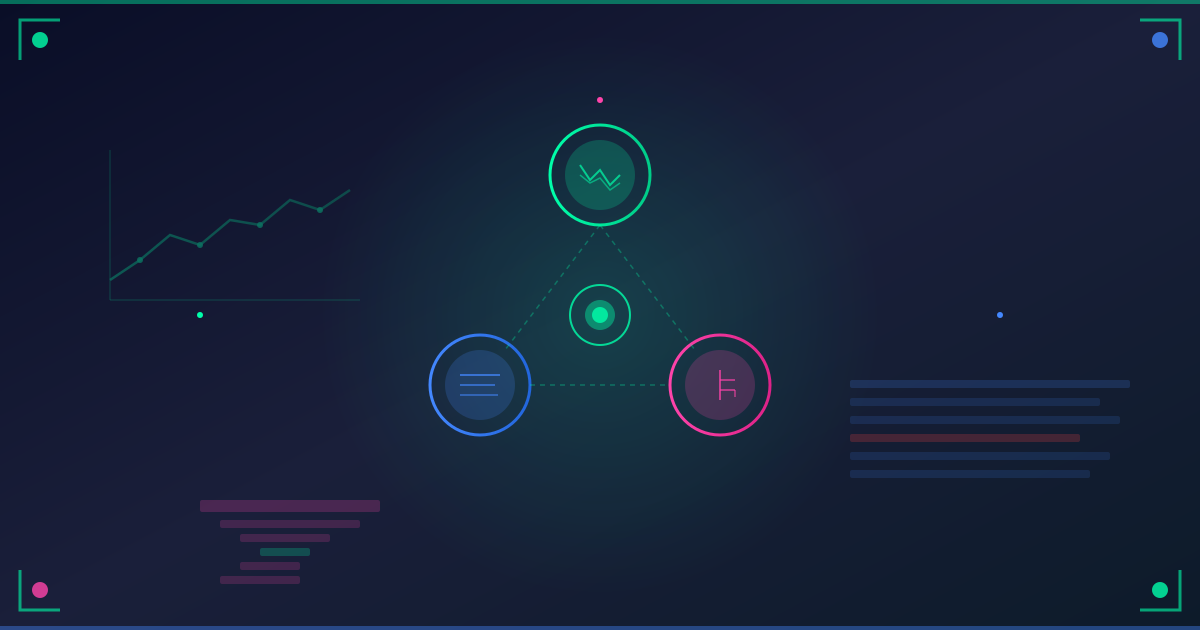
Observability rests on three foundations:
1. Logs - The What Happened
Structured logs tell you what your system did:
// Bad logging
console.log('User logged in');

// Good logging
logger.info('User authentication successful', {
  userId: user.id,
  email: user.email,
  loginMethod: 'password',
  ipAddress: req.ip,
  userAgent: req.headers['user-agent'],
  timestamp: new Date().toISOString(),
  duration: Date.now() - startTime
});
2. Metrics - The Trends
Metrics show you system health over time:
// Track request counts
metrics.increment('api.requests.total', {
  endpoint: '/api/orders',
  method: 'POST',
  status: 201
});

// Track response times
metrics.histogram('api.request.duration', responseTime, {
  endpoint: '/api/orders'
});

// Track active users
metrics.gauge('users.active', activeUserCount);

// Track queue depth
metrics.gauge('jobs.queue.depth', queueLength, {
  queue: 'email-notifications'
});
3. Traces - The Journey
Distributed traces show how a request flows through your system:
import { trace } from '@opentelemetry/api';

const tracer = trace.getTracer('order-service');

async function createOrder(orderData) {
  return await tracer.startActiveSpan('createOrder', async (span) => {
    span.setAttribute('order.total', orderData.total);
    span.setAttribute('order.itemCount', orderData.items.length);

    try {
      // Each step creates a child span
      const validated = await validateOrder(orderData);
      const saved = await saveOrder(validated);
      await sendConfirmationEmail(saved);

      span.setStatus({ code: SpanStatusCode.OK });
      return saved;

    } catch (error) {
      span.recordException(error);
      span.setStatus({
        code: SpanStatusCode.ERROR,
        message: error.message
      });
      throw error;

    } finally {
      span.end();
    }
  });
}
Setting Up Observability
Let’s build a complete observability stack.
Structured Logging with Pino
// lib/logger.ts
import pino from 'pino';

export const logger = pino({
  level: process.env.LOG_LEVEL || 'info',
  formatters: {
    level: (label) => {
      return { level: label };
    }
  },
  base: {
    service: process.env.SERVICE_NAME || 'unknown',
    environment: process.env.NODE_ENV || 'development',
    version: process.env.GIT_COMMIT || 'unknown'
  },
  timestamp: pino.stdTimeFunctions.isoTime,
  serializers: {
    req: pino.stdSerializers.req,
    res: pino.stdSerializers.res,
    err: pino.stdSerializers.err
  }
});

// Usage
logger.info({ userId: '123', action: 'login' }, 'User logged in');

// Output:
{
  "level": "info",
  "time": "2025-12-15T12:00:00.000Z",
  "service": "auth-service",
  "environment": "production",
  "version": "abc123",
  "userId": "123",
  "action": "login",
  "msg": "User logged in"
}
Request Context with AsyncLocalStorage
Track request context across async operations:
// lib/request-context.ts
import { AsyncLocalStorage } from 'async_hooks';
import { randomUUID } from 'crypto';

const asyncLocalStorage = new AsyncLocalStorage();

export function createRequestContext(req, res, next) {
  const requestId = req.headers['x-request-id'] || randomUUID();
  const context = {
    requestId,
    userId: req.user?.id,
    path: req.path,
    method: req.method,
    startTime: Date.now()
  };

  res.setHeader('X-Request-ID', requestId);

  asyncLocalStorage.run(context, () => {
    next();
  });
}

export function getRequestContext() {
  return asyncLocalStorage.getStore() || {};
}

// Enhanced logger that includes request context
export function createContextLogger() {
  const context = getRequestContext();
  return logger.child(context);
}

// Usage in routes
app.use(createRequestContext);

app.post('/api/orders', async (req, res) => {
  const log = createContextLogger();

  log.info('Processing order request');
  // This log automatically includes requestId, userId, etc.

  const order = await createOrder(req.body);

  log.info({ orderId: order.id }, 'Order created successfully');

  res.json(order);
});
Metrics with Prometheus
// lib/metrics.ts
import { register, Counter, Histogram, Gauge } from 'prom-client';

// HTTP request counter
export const httpRequestsTotal = new Counter({
  name: 'http_requests_total',
  help: 'Total number of HTTP requests',
  labelNames: ['method', 'route', 'status']
});

// Request duration histogram
export const httpRequestDuration = new Histogram({
  name: 'http_request_duration_seconds',
  help: 'Duration of HTTP requests in seconds',
  labelNames: ['method', 'route', 'status'],
  buckets: [0.1, 0.5, 1, 2, 5]
});

// Active connections gauge
export const activeConnections = new Gauge({
  name: 'active_connections',
  help: 'Number of active connections'
});

// Database connection pool gauge
export const dbPoolSize = new Gauge({
  name: 'db_pool_size',
  help: 'Database connection pool size',
  labelNames: ['state']
});

// Middleware to track metrics
export function metricsMiddleware(req, res, next) {
  const start = Date.now();

  activeConnections.inc();

  res.on('finish', () => {
    const duration = (Date.now() - start) / 1000;

    httpRequestsTotal.inc({
      method: req.method,
      route: req.route?.path || req.path,
      status: res.statusCode
    });

    httpRequestDuration.observe(
      {
        method: req.method,
        route: req.route?.path || req.path,
        status: res.statusCode
      },
      duration
    );

    activeConnections.dec();
  });

  next();
}

// Expose metrics endpoint
app.get('/metrics', async (req, res) => {
  res.set('Content-Type', register.contentType);
  res.end(await register.metrics());
});
Distributed Tracing with OpenTelemetry
// lib/tracing.ts
import { NodeSDK } from '@opentelemetry/sdk-node';
import { getNodeAutoInstrumentations } from '@opentelemetry/auto-instrumentations-node';
import { OTLPTraceExporter } from '@opentelemetry/exporter-trace-otlp-http';
import { Resource } from '@opentelemetry/resources';
import { SemanticResourceAttributes } from '@opentelemetry/semantic-conventions';

const traceExporter = new OTLPTraceExporter({
  url: process.env.OTEL_EXPORTER_OTLP_ENDPOINT || 'http://localhost:4318/v1/traces'
});

export const sdk = new NodeSDK({
  resource: new Resource({
    [SemanticResourceAttributes.SERVICE_NAME]: process.env.SERVICE_NAME || 'unknown',
    [SemanticResourceAttributes.SERVICE_VERSION]: process.env.GIT_COMMIT || 'unknown',
    [SemanticResourceAttributes.DEPLOYMENT_ENVIRONMENT]: process.env.NODE_ENV || 'development'
  }),
  traceExporter,
  instrumentations: [
    getNodeAutoInstrumentations({
      '@opentelemetry/instrumentation-http': {
        enabled: true
      },
      '@opentelemetry/instrumentation-express': {
        enabled: true
      },
      '@opentelemetry/instrumentation-pg': {
        enabled: true
      },
      '@opentelemetry/instrumentation-redis': {
        enabled: true
      }
    })
  ]
});

// Start tracing
sdk.start();

// Graceful shutdown
process.on('SIGTERM', () => {
  sdk.shutdown()
    .then(() => console.log('Tracing terminated'))
    .catch((error) => console.log('Error terminating tracing', error))
    .finally(() => process.exit(0));
});
Custom Spans for Business Logic
// services/order.service.ts
import { trace } from '@opentelemetry/api';

const tracer = trace.getTracer('order-service');

export async function processOrder(orderData) {
  return await tracer.startActiveSpan('processOrder', async (span) => {
    span.setAttribute('order.id', orderData.id);
    span.setAttribute('order.total', orderData.total);
    span.setAttribute('order.itemCount', orderData.items.length);
    span.setAttribute('customer.id', orderData.customerId);

    try {
      // Validate order
      await tracer.startActiveSpan('validateOrder', async (validateSpan) => {
        const isValid = await validateOrder(orderData);
        validateSpan.setAttribute('order.valid', isValid);
        validateSpan.end();

        if (!isValid) {
          throw new Error('Invalid order');
        }
      });

      // Check inventory
      const inventoryResult = await tracer.startActiveSpan(
        'checkInventory',
        async (inventorySpan) => {
          const result = await checkInventory(orderData.items);
          inventorySpan.setAttribute('inventory.available', result.available);
          inventorySpan.end();
          return result;
        }
      );

      if (!inventoryResult.available) {
        throw new Error('Insufficient inventory');
      }

      // Process payment
      const payment = await tracer.startActiveSpan(
        'processPayment',
        async (paymentSpan) => {
          const result = await processPayment(orderData.total);
          paymentSpan.setAttribute('payment.id', result.id);
          paymentSpan.setAttribute('payment.status', result.status);
          paymentSpan.end();
          return result;
        }
      );

      span.setStatus({ code: SpanStatusCode.OK });
      return { orderId: orderData.id, paymentId: payment.id };

    } catch (error) {
      span.recordException(error);
      span.setStatus({
        code: SpanStatusCode.ERROR,
        message: error.message
      });
      throw error;

    } finally {
      span.end();
    }
  });
}
Debugging with Observability Tools
Now that we have observability set up, let’s use it to debug real issues.
Scenario 1: Slow API Responses
Symptom: Users report slow checkout process.
Investigation using observability:
- Check Metrics Dashboard
Query: rate(http_request_duration_seconds_sum{route="/api/checkout"}[5m]) /
       rate(http_request_duration_seconds_count{route="/api/checkout"}[5m])

Result: Average response time jumped from 200ms to 3000ms at 2:45 PM- Check Distributed Traces
Filter traces for /api/checkout after 2:45 PM:
Trace ID: abc-123
Total Duration: 3145ms

Spans:
├─ POST /api/checkout (3145ms)
│  ├─ validateCart (45ms)
│  ├─ checkInventory (89ms)
│  ├─ processPayment (2956ms) ⚠️ SLOW
│  │  ├─ callPaymentGateway (2912ms) ⚠️ SLOW
│  │  │  └─ HTTP POST https://api.payment-provider.com/charge (2912ms)
│  │  └─ savePaymentRecord (44ms)
│  └─ confirmOrder (55ms)
Root cause found: Payment gateway is slow (2912ms). This is external to our system.
Solutions:
- Add timeout to payment gateway calls (fail fast)
- Add retry logic with exponential backoff
- Consider queueing payment processing
Scenario 2: Memory Leak
Symptom: Service keeps running out of memory and restarting.
Investigation:
- Check Memory Metrics
Query: process_resident_memory_bytes

Result: Memory grows linearly over time, never decreases- Check Logs for Patterns
# Find what operations were running before crashes
grep "OOM" logs/*.log -B 20

# Found: Large export operations correlate with crashes- Add Memory Profiling
// Add heap snapshot before/after large operations
import v8 from 'v8';
import fs from 'fs';

app.post('/api/export', async (req, res) => {
  const beforeHeap = process.memoryUsage().heapUsed;

  // Take snapshot before
  v8.writeHeapSnapshot(`./heap-before-${Date.now()}.heapsnapshot`);

  await generateExport(req.body);

  // Take snapshot after
  v8.writeHeapSnapshot(`./heap-after-${Date.now()}.heapsnapshot`);

  const afterHeap = process.memoryUsage().heapUsed;

  logger.warn('Memory usage during export', {
    before: beforeHeap,
    after: afterHeap,
    delta: afterHeap - beforeHeap
  });

  res.json({ success: true });
});- Compare Heap Snapshots
Load snapshots in Chrome DevTools. Found: Large arrays of user data not being garbage collected.
Root cause: Export function was keeping references to all data in memory.
Fix: Stream data instead of loading it all at once.
// Before: Loads all data into memory
async function generateExport(userId) {
  const allData = await db.users.getAllData(userId);
  return convertToCSV(allData);
}

// After: Streams data
async function generateExport(userId, outputStream) {
  const cursor = db.users.getAllDataCursor(userId);

  for await (const batch of cursor) {
    const csv = convertBatchToCSV(batch);
    outputStream.write(csv);
  }

  outputStream.end();
}
Scenario 3: Intermittent Failures
Symptom: Random 500 errors, can’t reproduce locally.
Investigation:
- Check Error Rate Metrics
Query: rate(http_requests_total{status="500"}[5m])

Result: Spikes every ~30 minutes- Filter Logs for 500 Errors
{
  "level": "error",
  "requestId": "xyz-789",
  "error": "Connection timeout",
  "service": "inventory-service",
  "endpoint": "/api/inventory/check"
}- Find Related Traces
Search for trace with requestId xyz-789:
Trace ID: xyz-789
Status: ERROR

Spans:
├─ POST /api/checkout (30012ms) ❌ ERROR
│  ├─ validateCart (45ms) ✓
│  ├─ checkInventory (30000ms) ❌ TIMEOUT
│  │  └─ HTTP GET http://inventory-service/api/inventory/check (30000ms) TIMEOUT
│  └─ processPayment (not started)
Pattern found: Inventory service timing out every ~30 minutes.
- Check Inventory Service Metrics
Query: inventory_service_response_time

Result: Spikes every 30 minutes, coinciding with batch job- Check Inventory Service Logs
{
  "level": "info",
  "message": "Starting nightly inventory sync",
  "recordCount": 5000000
}
Root cause: Batch inventory sync runs during business hours, locking database and causing timeouts.
Fix: Move batch job to off-hours, add read replica for queries.
Scenario 4: Cross-Service Issue
Symptom: Orders stuck in “processing” state.
Investigation using distributed tracing:
- Find a Stuck Order
const stuckOrder = await db.orders.findOne({ status: 'processing' });
const traceId = stuckOrder.traceId;- Look Up Trace
Trace ID: stuck-order-123

Spans:
├─ POST /api/orders (456ms) ✓
│  ├─ createOrder (89ms) ✓
│  ├─ publishOrderCreatedEvent (23ms) ✓
│  └─ return response (1ms) ✓

Order service completed successfully, but order never progressed.- Check Event Consumer Traces
Search for traces containing the order ID:
No traces found for orderId in payment-serviceDiscovery: Payment service never processed the order event.
- Check Message Queue Metrics
Query: message_queue_depth{queue="order-events"}

Result: Queue depth growing over time- Check Payment Service Logs
{
  "level": "error",
  "error": "Failed to connect to message queue",
  "retrying": true
}
Root cause: Payment service lost connection to message queue, events are queued but not consumed.
Fix: Restart payment service, add health checks for queue connection.
Building Effective Dashboards
Raw data is useless without good visualization.
Dashboard 1: Service Health
┌─────────────────────────────────────────────┐
│ Request Rate (req/sec)                      │
│ ▓▓▓▓▓▓▓▓▓▓▓░░░░░ 145.3                     │
└─────────────────────────────────────────────┘

┌─────────────────────────────────────────────┐
│ Error Rate (%)                              │
│ ▓░░░░░░░░░░░░░░░ 0.3%                      │
└─────────────────────────────────────────────┘

┌─────────────────────────────────────────────┐
│ P95 Response Time (ms)                      │
│ ▓▓▓▓▓▓▓▓▓▓▓▓▓░░░ 234ms                     │
└─────────────────────────────────────────────┘

┌─────────────────────────────────────────────┐
│ Active Connections                          │
│ ▓▓▓▓▓▓▓░░░░░░░░░ 42                        │
└─────────────────────────────────────────────┘
Prometheus queries:
# Request rate
rate(http_requests_total[5m])

# Error rate
rate(http_requests_total{status=~"5.."}[5m]) /
rate(http_requests_total[5m]) * 100

# P95 response time
histogram_quantile(0.95, rate(http_request_duration_seconds_bucket[5m]))

# Active connections
active_connections
Dashboard 2: Business Metrics
┌─────────────────────────────────────────────┐
│ Orders Created (last hour)                  │
│ ▓▓▓▓▓▓▓▓▓▓▓▓▓▓▓▓ 1,234                     │
└─────────────────────────────────────────────┘

┌─────────────────────────────────────────────┐
│ Revenue (last hour)                         │
│ ▓▓▓▓▓▓▓▓▓▓▓▓▓▓▓▓ $45,678                   │
└─────────────────────────────────────────────┘

┌─────────────────────────────────────────────┐
│ Payment Success Rate (%)                    │
│ ▓▓▓▓▓▓▓▓▓▓▓▓▓▓▓▓ 98.7%                     │
└─────────────────────────────────────────────┘

┌─────────────────────────────────────────────┐
│ Average Order Value                         │
│ ▓▓▓▓▓▓▓▓▓▓▓▓▓▓░░ $37.04                    │
└─────────────────────────────────────────────┘
Custom metrics:
// Track business metrics
metrics.increment('orders.created', { status: 'confirmed' });
metrics.histogram('order.value', orderTotal);
metrics.increment('payment.attempts', { success: true });
Dashboard 3: Dependency Health
Track health of external dependencies:
┌─────────────────────────────────────────────┐
│ Payment Gateway Response Time               │
│ ▓▓▓▓▓▓▓▓▓▓▓▓░░░░ 145ms                     │
└─────────────────────────────────────────────┘

┌─────────────────────────────────────────────┐
│ Database Query Time (P95)                   │
│ ▓▓▓▓▓░░░░░░░░░░░ 23ms                      │
└─────────────────────────────────────────────┘

┌─────────────────────────────────────────────┐
│ Redis Response Time (P99)                   │
│ ▓░░░░░░░░░░░░░░░ 3ms                       │
└─────────────────────────────────────────────┘

┌─────────────────────────────────────────────┐
│ Message Queue Lag                           │
│ ▓░░░░░░░░░░░░░░░ 12 messages               │
└─────────────────────────────────────────────┘
Alerting Based on Observability
Metrics without alerts are like smoke detectors without batteries.
Alert 1: High Error Rate
# Prometheus alert rule
groups:
  - name: api_alerts
    rules:
      - alert: HighErrorRate
        expr: |
          (
            rate(http_requests_total{status=~"5.."}[5m]) /
            rate(http_requests_total[5m])
          ) > 0.05
        for: 2m
        labels:
          severity: critical
        annotations:
          summary: "High error rate on {{ $labels.instance }}"
          description: "Error rate is {{ $value | humanizePercentage }}"
Alert 2: Slow Responses
- alert: SlowResponses
  expr: |
    histogram_quantile(0.95,
      rate(http_request_duration_seconds_bucket[5m])
    ) > 1
  for: 5m
  labels:
    severity: warning
  annotations:
    summary: "Slow API responses on {{ $labels.instance }}"
    description: "P95 response time is {{ $value }}s"
Alert 3: Memory Leak
- alert: MemoryLeak
  expr: |
    (
      process_resident_memory_bytes -
      process_resident_memory_bytes offset 1h
    ) > 100000000
  for: 10m
  labels:
    severity: warning
  annotations:
    summary: "Possible memory leak on {{ $labels.instance }}"
    description: "Memory increased by {{ $value | humanize }}B in 1 hour"
Alert 4: Service Down
- alert: ServiceDown
  expr: up == 0
  for: 1m
  labels:
    severity: critical
  annotations:
    summary: "Service {{ $labels.job }} is down"
    description: "{{ $labels.instance }} has been down for 1 minute"
Observability Best Practices
1. Use Correlation IDs
Propagate request IDs across services:
// Service A
app.post('/api/orders', async (req, res) => {
  const requestId = req.id;

  // Pass to downstream service
  const response = await fetch('http://inventory-service/check', {
    headers: {
      'X-Request-ID': requestId
    }
  });
});

// Service B
app.post('/check', (req, res) => {
  const requestId = req.headers['x-request-id'];

  logger.info({ requestId }, 'Checking inventory');
});
Now you can trace a request across all services.
2. Add Context to Everything
// Bad
logger.error('Failed to process payment');

// Good
logger.error({
  error: error.message,
  stack: error.stack,
  orderId: order.id,
  userId: order.userId,
  amount: order.total,
  paymentMethod: order.paymentMethod,
  attemptNumber: retryCount,
  requestId: req.id
}, 'Failed to process payment');
3. Sample High-Volume Traces
Don’t trace every request in high-traffic systems:
import { TraceIdRatioBasedSampler } from '@opentelemetry/sdk-trace-base';

const sdk = new NodeSDK({
  sampler: new TraceIdRatioBasedSampler(0.1), // Sample 10% of requests
  // ... other config
});
Sample more for errors:
import { ParentBasedSampler, AlwaysOnSampler } from '@opentelemetry/sdk-trace-base';

class ErrorSampler extends Sampler {
  shouldSample(context, traceId, spanName, spanKind, attributes) {
    // Always sample errors
    if (attributes['http.status_code'] >= 400) {
      return { decision: SamplingDecision.RECORD_AND_SAMPLED };
    }

    // Sample 10% of successful requests
    return Math.random() < 0.1
      ? { decision: SamplingDecision.RECORD_AND_SAMPLED }
      : { decision: SamplingDecision.NOT_RECORD };
  }
}
4. Set Appropriate Retention
Different data needs different retention:
Metrics (Prometheus):
  - High resolution (15s): 7 days
  - Medium resolution (1m): 30 days
  - Low resolution (5m): 1 year

Logs (Elasticsearch):
  - Error logs: 90 days
  - Info logs: 7 days
  - Debug logs: 1 day

Traces (Jaeger):
  - All traces: 7 days
  - Sampled traces: 30 days
5. Use Metrics for Trends, Traces for Debugging
Metrics: "Response time increased at 2:45 PM"
Traces: "Request xyz-789 was slow because payment gateway timed out"

Metrics tell you WHEN and WHAT
Traces tell you WHY and WHERE
Tools Comparison
Logging
- Elasticsearch + Kibana: Full-featured, scalable, heavy
- Loki: Lightweight, integrates with Grafana, cheaper
- CloudWatch Logs: Managed, AWS-native, simple
Metrics
- Prometheus + Grafana: Industry standard, self-hosted
- DataDog: All-in-one, expensive, great UX
- New Relic: Comprehensive, pricey
- CloudWatch: AWS-native, good enough for AWS workloads
Tracing
- Jaeger: Open source, proven, self-hosted
- Zipkin: Mature, simpler than Jaeger
- Tempo: Grafana’s tracing backend, integrates well
- X-Ray: AWS-native, good for AWS services
- Lightstep: Commercial, powerful, expensive
All-in-One
- Datadog: $$$, best-in-class UX
- New Relic: $$$, comprehensive
- Elastic Observability: $$, full stack
- Grafana Cloud: $$, open source friendly
- Honeycomb: $$, excellent for debugging
Getting Started
Week 1: Add Structured Logging
import pino from 'pino';

export const logger = pino({
  level: 'info',
  formatters: {
    level: (label) => ({ level: label })
  }
});

// Replace all console.log with logger.info
Week 2: Add Basic Metrics
import { register, Counter } from 'prom-client';

const httpRequests = new Counter({
  name: 'http_requests_total',
  help: 'Total HTTP requests',
  labelNames: ['method', 'route', 'status']
});

app.use((req, res, next) => {
  res.on('finish', () => {
    httpRequests.inc({
      method: req.method,
      route: req.route?.path,
      status: res.statusCode
    });
  });
  next();
});

app.get('/metrics', async (req, res) => {
  res.set('Content-Type', register.contentType);
  res.end(await register.metrics());
});
Week 3: Add Distributed Tracing
import { NodeSDK } from '@opentelemetry/sdk-node';
import { getNodeAutoInstrumentations } from '@opentelemetry/auto-instrumentations-node';

const sdk = new NodeSDK({
  instrumentations: [getNodeAutoInstrumentations()],
  // Export to Jaeger or your preferred backend
});

sdk.start();
Week 4: Build Dashboards and Alerts
Create Grafana dashboards for:
- Request rate, error rate, response times
- Resource usage (CPU, memory)
- Business metrics
Set up alerts for:
- High error rate
- Slow responses
- Service down
Conclusion
Observability transforms debugging from guesswork to science. With proper instrumentation:
- Find issues faster: See exactly where things break
- Understand impact: Know how many users are affected
- Debug production: Investigate without deploying code
- Prevent incidents: Catch problems before users do
- Improve performance: Identify bottlenecks easily
Start small: add structured logging, basic metrics, and request IDs. Build from there. The investment in observability pays dividends every time you need to debug a production issue.
Part of the Developer Skills series. See what you couldn’t see before.
Debugging without observability is like driving with your eyes closed. You might get where you’re going, but you’ll crash a lot along the way. Open your eyes - add observability to your systems.