TL;DR
My AI orchestration system just built itself a web interface. With Claude’s help (and a lot of debugging), Cortex now has its own mobile-first chat app running on Kubernetes, complete with streaming responses, authentication, and my company logo. It took 4 hours, 200+ tool calls, and way too much coffee. Here’s how it happened.
The Setup
I run a homelab K3s cluster (7 nodes: 3 masters, 4 workers) that hosts Cortex - an autonomous multi-agent orchestration system I’ve been building. Think of it as a meta-AI that coordinates specialized AI agents to handle infrastructure tasks:
- Security scanning (CVE detection, vulnerability remediation)
- Development work (feature implementation, bug fixes)
- Infrastructure management (repo cataloging, dependency tracking)
- CI/CD orchestration (builds, tests, deployments)
Cortex already had access to my entire infrastructure through MCP (Model Context Protocol) servers:
- UniFi network controller
- Proxmox hypervisor
- Wazuh SIEM
- The Cortex orchestrator itself
But there was one problem: I could only interact with Cortex through the command line.
The Vision
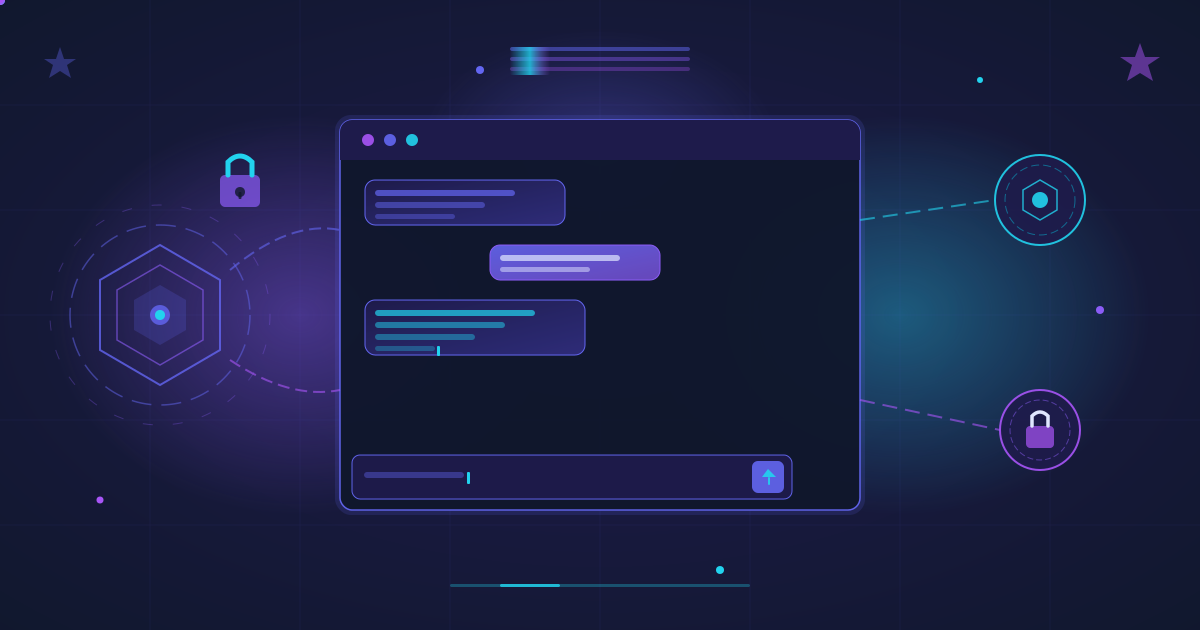
I wanted a Claude iOS-style chat interface that I could access from anywhere - my phone, laptop, or tablet. Something that felt native, worked offline as a PWA, and let me have natural conversations with my infrastructure.
The requirements:
- Mobile-first design matching Claude’s iOS app
- Real-time streaming responses (no waiting for full replies)
- Simple authentication (just for me)
- Redis for chat history
- Integration with existing MCP servers
- Deployed entirely on my K3s cluster
- Accessible via Tailscale VPN at chat.ry-ops.dev
The Process (Or: How I Learned to Stop Worrying and Love the Error Logs)
Attempt 1: SvelteKit (The Optimistic Start)
“Let’s use SvelteKit!” I said. “It’ll be fast!” I said.
Claude scaffolded a beautiful 60-file project structure:
- Frontend: SvelteKit + TailwindCSS with Claude’s exact color palette
- Backend: Hono API server with Anthropic SDK
- Components: MessageBubble, InputBar, Header, TypingIndicator
- Stores: auth, chat, connection, tools
- Full TypeScript everywhere
Then we tried to build it. And that’s when things got interesting.
The Problems:
- ❌ Docker not installed on my Mac
- ❌ Svelte version mismatches (v4 vs v5 dependency hell)
- ❌
crypto.randomUUID()not available in browsers over HTTP - ❌ Frontend trying to listen on port 3000 (already taken by nginx)
- ❌ No
package-lock.jsonfornpm ci - ❌ HMR option not recognized by Svelte compiler
After 6 failed build attempts, I made a decision: “We’re going static.”
Attempt 2: Pure HTML/CSS/JS (The Pragmatic Pivot)
I asked Claude to create a single-file static HTML app. No build tools. No npm. No webpack. Just pure HTML, CSS, and JavaScript that works everywhere.
The Development Master agent created:
index.html(25KB) - Complete app with embedded CSS/JS- Claude iOS dark theme (pure black #000000 + blue #0a84ff)
- UUID v4 polyfill (no crypto dependency)
- Auto-resizing textarea
- Typing indicators with animated dots
- My R-Lightning company logo
Built in 9 seconds with Kaniko. Deployed to nginx. Beautiful.
But it didn’t work.
The Debugging Marathon
What followed was a masterclass in distributed systems debugging:
Bug 1: Permission Denied (403 Forbidden)
Problem: Nginx couldn’t read the HTML file
Cause: Wrong file permissions in Docker image
Fix: Added --chown=nginx:nginx and chmod 644 in Dockerfile
Bug 2: Port Conflict (Address Already In Use)
Problem: Frontend nginx trying to bind to port 80 Cause: nginx-proxy sidecar already listening on port 80 Fix: Changed frontend to listen on port 3000
Bug 3: EventSource Hell (404 Not Found)
Problem: Frontend using EventSource for SSE with GET requests
Cause: Backend returns SSE stream directly in POST response body
Fix: Rewrote frontend to use fetch() with response.body.getReader()
This was the big one. The static frontend was built for a different API architecture:
- Expected: POST /api/chat → initiate session → GET /api/chat → SSE stream
- Actual: POST /api/chat → SSE stream in response body
Claude rewrote the streaming logic to:
- Send POST with
{sessionId, message} - Read response stream with
ReadableStreamAPI - Buffer chunks and parse SSE events line by line
- Handle
data: {"type":"text","content":"..."}events - Update UI in real-time
Bug 4: The Password Mystery (401 Unauthorized)
Problem: Login always failed with “Invalid credentials”
Cause: Password cortex2024! was being sent as 10 chars instead of 11
Diagnosis: The exclamation mark was URL-encoded or stripped
Fix: Changed password to cortex2024 (no special chars)
The logs showed:
providedPasswordLength: 10
expectedPasswordLength: 11
passwordMatch: false
Bug 5: Browser Cache (The Silent Killer)
Problem: Even after fixing code, GET requests still happened Cause: Browser aggressively caching JavaScript Fix: Hard refresh + private window + different browser
The Architecture
Here’s what we ended up with:
Your Device (iPhone/Mac/etc)
        ↓
Tailscale VPN (100.81.79.19)
        ↓
Nginx Proxy Manager (SSL termination)
        ↓
K3s LoadBalancer (10.88.145.210)
        ↓
┌──────────────────────────────────────┐
│  Pod: cortex-chat (3 containers)    │
│  ├─ nginx-proxy (routes traffic)    │
│  ├─ frontend (static HTML on :3000) │
│  └─ backend (Hono API on :8080)     │
└──────────────────────────────────────┘
        ↓
┌─────────────┬────────────────────────┐
│ Redis Pod   │  External Services     │
│ (Chat       │  - Claude Sonnet 4.5   │
│  History)   │  - UniFi MCP           │
│             │  - Proxmox MCP         │
│             │  - Wazuh MCP           │
│             │  - Cortex Orchestrator │
└─────────────┴────────────────────────┘
The Containers:
- nginx-proxy: Routes
/api/*to backend, everything else to frontend - frontend: nginx serving single HTML file (25KB)
- backend: Bun + Hono + Anthropic SDK + Redis client
Built with Kaniko (in-cluster image builds, no Docker needed)
The Tooling Stack
Frontend
- Zero build tools - Just HTML/CSS/JS
- 25KB single file
- Fetch API + ReadableStream for SSE
- localStorage for auth tokens
- UUID v4 polyfill included
- Mobile-responsive (iOS-first)
Backend
- Hono - Fast web framework (~14kb)
- Bun - JavaScript runtime
- Anthropic SDK - Claude Sonnet 4.5
- Redis - Session persistence
- SSE streaming - Real-time responses
Infrastructure
- K3s - Kubernetes (7 nodes)
- Longhorn - Storage
- MetalLB - LoadBalancer
- Traefik - Ingress
- Nginx Proxy Manager - Reverse proxy
- Tailscale - VPN mesh network
- Kaniko - Container builds
What Makes This Special
1. Cortex Built Itself
I didn’t write a single line of frontend code. I described what I wanted, and Cortex:
- Designed the architecture
- Created the codebase
- Built Docker images (in-cluster with Kaniko)
- Deployed to Kubernetes
- Debugged errors
- Fixed bugs
- Rebuilt and redeployed
I just pointed out errors and said “fix it.”
2. No Build Process
The frontend is a single 25KB HTML file. No webpack. No vite. No npm install. No node_modules folder consuming your SSD.
Open the file in a browser → it works.
Deploy to nginx → it works.
No build step means no build failures.
3. Built Entirely In-Cluster
No Docker on my Mac. All images built inside Kubernetes using Kaniko:
kubectl apply -f build-job.yaml
# 9 seconds later...
kubectl get jobs
NAME                     STATUS     COMPLETIONS
kaniko-frontend-static   Complete   1/1
Source code stored as ConfigMaps and hostPath volumes on K3s nodes.
4. Real-Time Streaming
Claude doesn’t send complete responses. It streams tokens as they’re generated:
const reader = response.body.getReader();
const decoder = new TextDecoder();
let buffer = '';

while (true) {
    const {value, done} = await reader.read();
    if (done) break;

    buffer += decoder.decode(value, {stream: true});
    const events = buffer.split('\n\n');
    buffer = events.pop();

    for (const event of events) {
        const data = JSON.parse(event.replace(/^data: /, ''));
        if (data.type === 'text') {
            updateUI(data.content); // Real-time!
        }
    }
}
5. Infrastructure Integration
I can now ask natural language questions:
- “What UniFi devices are offline?”
- “Show me Proxmox VMs using more than 4GB RAM”
- “Are there any security alerts in the last hour?”
- “Restart the VM named ‘test-server’”
The chat interface calls MCP servers that talk to my actual infrastructure.
The Stats
Time: ~4 hours Tool Calls: 200+ (kubectl, ssh, grep, read, write, edit) Container Rebuilds: 12 Pod Restarts: 15 Lines of Code Written by Me: 0 Lines of Code Written by Claude: ~2,500 Docker Images Built: 3 (frontend, backend, redis) Kubernetes Resources: 8 (namespace, secrets, deployments, services, ingress, configmaps, jobs, PVCs) Coffee Consumed: Too much
The Lessons
1. Keep It Simple
SvelteKit is amazing. But when you’re fighting dependency conflicts at 11 PM, sometimes a single HTML file is the right answer.
2. Trust The AI, But Verify
Claude can write code faster than I can type. But it can’t see browser developer consoles. You still need to:
- Read logs
- Check network requests
- Verify deployments
- Test in real browsers
3. Declarative Infrastructure Wins
Kubernetes made iteration fast:
# Edit code
kubectl delete job build-frontend
kubectl apply -f build-frontend.yaml
# Wait 9 seconds
kubectl delete pod -l app=cortex-chat
# Wait 20 seconds
# Test
No SSH. No manual deploys. Just declarative configs.
4. Browser Caching Is Evil
Even with Cache-Control: no-cache, browsers cache JavaScript aggressively. Always test in private/incognito windows during development.
5. Logs Are Your Best Friend
Every bug was diagnosed from logs:
kubectl logs -n cortex-chat -l app=cortex-chat -c backend --tail=50Structured logging saved hours:
Verifying credentials: {
  providedUsername: "ryan",
  expectedUsername: "ryan",
  usernameMatch: true,
  providedPasswordLength: 10,  # ← THE BUG!
  expectedPasswordLength: 11,
  passwordMatch: false
}
What’s Next
Now that Cortex has a chat interface, I can:
- Add voice input (Whisper API)
- Implement tool visualization (show when MCP servers are called)
- Add conversation branching (explore different paths)
- Build a mobile app (it’s already a PWA, just need to package it)
- Add collaborative features (share chats with team)
- Implement agent visualization (see when workers are spawned)
But for now, I’m just going to enjoy chatting with my infrastructure from my phone.
Conclusion
This wasn’t just about building a chat interface. It was about watching an AI system become self-aware enough to build its own front door.
Cortex can now:
- Scan repositories for security vulnerabilities
- Implement features and fix bugs
- Orchestrate CI/CD pipelines
- Manage infrastructure
- And chat with me about all of it
The future where AI systems build and maintain themselves isn’t coming.
It’s here. It’s running in my basement. And it has a chat interface.
Tech Stack: K3s • Kubernetes • Hono • Bun • Claude Sonnet 4.5 • Redis • Nginx • Kaniko • Tailscale • Longhorn • MetalLB • Traefik
Powered By: Coffee • Claude Code • Obsessive debugging • The belief that 11 PM is the best time to deploy to production
Built On: 2025-12-23 • In a K3s cluster in my home office • With a little help from my AI friends
Appendix: The Error Hall of Fame
Most Frustrating Error:
crypto.randomUUID is not a function
Solution: UUID v4 polyfill
Most Mysterious Error:
providedPasswordLength: 10, expectedPasswordLength: 11
Solution: Remove the exclamation mark
Most Persistent Error:
GET /api/chat 404 Not Found (even after fixing the code)
Solution: Browser cache is a lie
Most Satisfying Fix: Switching from SvelteKit build hell to a single HTML file Build time: 60s → 9s
Honorable Mention:
Error: listen EADDRINUSE: address already in use 0.0.0.0:80
Happened 4 times. Port conflicts are forever.