When Documentation Becomes Code
Traditional documentation lives in wikis, Google Docs, or Confluence. It gets outdated. Links break. Examples stop working. Nobody knows who last edited it or why.
Then someone had a revolutionary idea: What if we treated documentation like code?
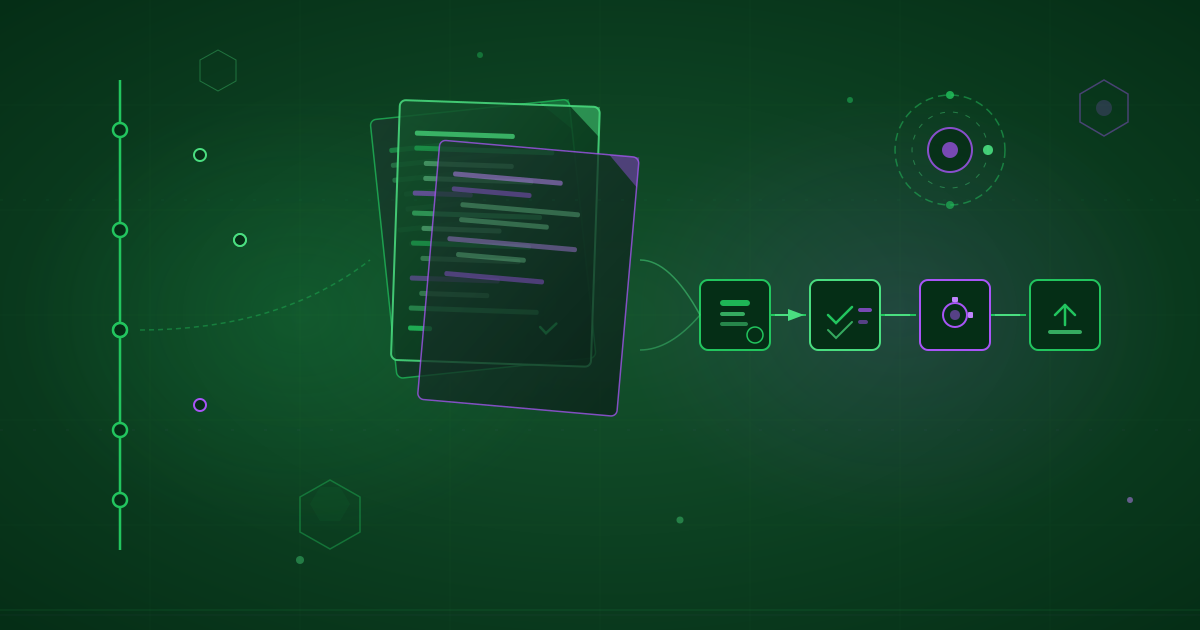
Version control. Track every change. Code review. Approve before merging. Automated testing. Verify examples work. CI/CD pipelines. Deploy automatically. Collaboration. Pull requests, not email.
This is documentation as code, and it transforms how we create, maintain, and deliver documentation.
The Core Principles
Documentation as code isn’t just storing docs in Git. It’s a methodology with specific principles.
Principle 1: Docs Live in Version Control
Documentation shares the repository with code.
Traditional Approach:
Code Repository: github.com/org/product
Docs Wiki: wiki.example.com
Disconnected. Docs lag behind code.
Docs as Code:
Repository: github.com/org/product
├── src/          # Code
├── docs/         # Documentation
└── README.md     # Starting point
Unified. Docs evolve with code.
Principle 2: Plain Text Formats
Documentation uses text-based formats that diff well.
Good Formats:
- Markdown: Simplest, most common
- AsciiDoc: More features than Markdown
- reStructuredText: Python ecosystem standard
- MDX: Markdown with JSX for interactive docs
Avoid:
- Word documents (.docx)
- PDFs (unless generated output)
- Wikis with proprietary formats
Principle 3: Single Source of Truth
Information exists in one place, used everywhere.
Anti-Pattern:
README.md:     "Install with: npm install foo"
docs/install:  "Installation: npm i foo"
Website:       "Get started: yarn add foo"
Three versions, guaranteed to diverge.
Pattern:
docs/snippets/install.md:  "npm install foo"

README.md:     {% include install.md %}
docs/install:  {% include install.md %}
Website:       {% include install.md %}
One source, used everywhere.
Principle 4: Code Review for Docs
Documentation changes go through the same review process as code.
Traditional:
- Anyone edits wiki directly
- No review process
- Errors go live immediately
Docs as Code:
- Submit pull request
- Review for accuracy and clarity
- Approve before merging
- Changes deployed after validation
Principle 5: Automated Testing
Documentation is tested automatically.
Tests for:
- Broken links
- Code examples compile/run
- API references match actual API
- Screenshots are current
- Spelling and grammar
- Accessibility standards
Principle 6: Continuous Deployment
Documentation deploys automatically on merge.
Traditional:
- Manual upload to server
- “I forgot to deploy the docs”
- Inconsistent timing
Docs as Code:
# On merge to main:
- Build documentation
- Run tests
- Deploy to production
- Invalidate CDN cache
Automatic. Reliable. Fast.
Setting Up Documentation as Code
Let’s build a docs-as-code system from scratch.
Step 1: Choose Your Format
For simple projects: Markdown
# Getting Started

## Installation

```bash
npm install myproject
Usage
const myProject = require('myproject');
myProject.run();
**Pros:** Simple, widely supported, GitHub renders it
**Cons:** Limited features

**For complex projects: AsciiDoc or MDX**

```asciidoc
= Getting Started

== Installation

[source,bash]
----
npm install myproject
----

== Usage

[source,javascript]
----
const myProject = require('myproject');
myProject.run();
----

NOTE: For advanced usage, see <<advanced-usage>>.
Pros: More features (admonitions, includes, variables) Cons: Steeper learning curve
Step 2: Structure Your Documentation
Logical organization:
docs/
├── index.md              # Landing page
├── getting-started/
│   ├── installation.md
│   ├── quick-start.md
│   └── tutorial.md
├── guides/
│   ├── authentication.md
│   ├── api-clients.md
│   └── deployment.md
├── reference/
│   ├── api/
│   │   ├── classes.md
│   │   └── functions.md
│   ├── cli.md
│   └── configuration.md
├── contributing/
│   ├── development.md
│   ├── documentation.md
│   └── testing.md
├── assets/
│   ├── images/
│   └── videos/
└── snippets/         # Reusable content
    ├── install.md
    └── quick-start.md
Organization principles:
- Task-based (getting started, guides)
- Reference material separate
- Shared snippets folder
- Assets organized
Step 3: Choose Documentation Tools
Static Site Generators:
Docusaurus (JavaScript projects)
npm init docusaurus@latest my-docs classicMkDocs (Python projects)
pip install mkdocs-material
mkdocs new my-docs
Hugo (Go, general purpose)
hugo new site my-docsSphinx (Python, technical)
sphinx-quickstart docsComparison:
| Tool | Language | Strength | Best For |
|---|---|---|---|
| Docusaurus | JavaScript | Modern, React | Interactive docs |
| MkDocs | Python | Simple, beautiful | Quick setup |
| Hugo | Go | Fast, flexible | Large sites |
| Sphinx | Python | Technical docs | API references |
Step 4: Integrate with Repository
Project Structure:
myproject/
├── src/              # Source code
├── tests/            # Tests
├── docs/             # Documentation
│   ├── docs/         # Content
│   ├── docusaurus.config.js
│   └── package.json
├── .github/
│   └── workflows/
│       └── docs.yml  # CI for docs
├── README.md
└── package.json
Docusaurus Config:
// docs/docusaurus.config.js
module.exports = {
  title: 'MyProject',
  tagline: 'Amazing project documentation',
  url: 'https://myproject.dev',
  baseUrl: '/',

  // GitHub integration
  organizationName: 'myorg',
  projectName: 'myproject',

  themeConfig: {
    navbar: {
      title: 'MyProject',
      items: [
        {
          type: 'doc',
          docId: 'getting-started',
          label: 'Docs',
        },
        {
          href: 'https://github.com/myorg/myproject',
          label: 'GitHub',
        },
      ],
    },

    // Edit button on each page
    editUrl: 'https://github.com/myorg/myproject/edit/main/docs/',

    // Algolia search
    algolia: {
      appId: 'YOUR_APP_ID',
      apiKey: 'YOUR_API_KEY',
      indexName: 'myproject',
    },
  },
};
Automating Documentation
Automation ensures docs stay accurate and current.
Automated Link Checking
GitHub Action:
# .github/workflows/docs-links.yml
name: Check Documentation Links

on:
  pull_request:
    paths:
      - 'docs/**'
  schedule:
    - cron: '0 0 * * 0'  # Weekly

jobs:
  linkcheck:
    runs-on: ubuntu-latest
    steps:
      - uses: actions/checkout@v3

      - name: Check links
        uses: lycheeverse/lychee-action@v1
        with:
          args: --verbose --no-progress 'docs/**/*.md' 'README.md'
          fail: true
Local checking:
# Install link checker
npm install -g markdown-link-check

# Check all markdown files
find docs -name "*.md" -exec markdown-link-check {} \;
Code Example Validation
Ensure code examples actually work.
Example in Docs:
## Example

```javascript test
const myProject = require('myproject');
const result = myProject.add(2, 3);
console.assert(result === 5, 'Addition should work');
```
Test Runner:
// scripts/test-docs-examples.js
const fs = require('fs');
const glob = require('glob');
const vm = require('vm');

// Find all code blocks marked with 'test'
const files = glob.sync('docs/**/*.md');

files.forEach(file => {
  const content = fs.readFileSync(file, 'utf8');
  const codeBlocks = content.match(/```javascript test\n([\s\S]*?)```/g);

  if (!codeBlocks) return;

  codeBlocks.forEach((block, index) => {
    const code = block.replace(/```javascript test\n|```/g, '');

    try {
      vm.runInNewContext(code, {
        require,
        console,
      });
      console.log(`✓ ${file} - example ${index + 1}`);
    } catch (error) {
      console.error(`✗ ${file} - example ${index + 1}`);
      console.error(error.message);
      process.exit(1);
    }
  });
});
CI Integration:
# .github/workflows/docs.yml
- name: Test documentation examples
  run: npm run test:docs-examples
Auto-Generated API Documentation
Generate API docs from code comments.
TypeScript with TypeDoc:
/**
 * Adds two numbers together
 *
 * @param a - First number
 * @param b - Second number
 * @returns The sum of a and b
 *
 * @example
 * ```typescript
 * const result = add(2, 3);
 * console.log(result); // 5
 * ```
 */
export function add(a: number, b: number): number {
  return a + b;
}
Generate Docs:
// package.json
{
  "scripts": {
    "docs:api": "typedoc --out docs/api src/index.ts"
  }
}
Python with Sphinx:
def add(a: int, b: int) -> int:
    """Add two numbers together.

    Args:
        a: First number
        b: Second number

    Returns:
        The sum of a and b

    Examples:
        >>> add(2, 3)
        5
    """
    return a + b
Generate Docs:
# conf.py configured for autodoc
sphinx-build -b html docs docs/_build
Version Documentation
Docusaurus Versioning:
# Create version snapshot
npm run docusaurus docs:version 1.0.0
Structure:
docs/
├── docs/                  # Current (next version)
├── versioned_docs/
│   ├── version-1.0.0/     # 1.0.0 docs
│   └── version-2.0.0/     # 2.0.0 docs
├── versions.json          # Version list
└── versioned_sidebars/    # Sidebars per version
Version Selector:
Users choose which version’s docs to view:
[v2.0.0 ▼]
- v2.0.0 (latest)
- v1.0.0
- Next (unreleased)
Testing Documentation
Documentation needs tests like code does.
Link Tests
// tests/docs/links.test.js
const glob = require('glob');
const fs = require('fs');
const fetch = require('node-fetch');

describe('Documentation Links', () => {
  const files = glob.sync('docs/**/*.md');

  files.forEach(file => {
    it(`should have valid links in ${file}`, async () => {
      const content = fs.readFileSync(file, 'utf8');
      const links = content.match(/\[.*?\]\((.*?)\)/g) || [];

      for (const link of links) {
        const url = link.match(/\((.*?)\)/)[1];

        if (url.startsWith('http')) {
          // External link
          const response = await fetch(url, { method: 'HEAD' });
          expect(response.ok).toBe(true);
        } else {
          // Internal link
          const targetFile = path.join('docs', url);
          expect(fs.existsSync(targetFile)).toBe(true);
        }
      }
    });
  });
});
Code Example Tests
// tests/docs/examples.test.js
describe('Documentation Examples', () => {
  it('should run the quick start example', () => {
    const code = extractCodeFromDocs('docs/quick-start.md');
    expect(() => eval(code)).not.toThrow();
  });

  it('should run the API examples', async () => {
    const examples = extractCodeFromDocs('docs/api-reference.md');
    for (const example of examples) {
      expect(() => eval(example)).not.toThrow();
    }
  });
});
Screenshot Tests
// tests/docs/screenshots.test.js
const puppeteer = require('puppeteer');

describe('Documentation Screenshots', () => {
  let browser, page;

  beforeAll(async () => {
    browser = await puppeteer.launch();
    page = await browser.newPage();
  });

  afterAll(async () => {
    await browser.close();
  });

  it('should match dashboard screenshot', async () => {
    await page.goto('http://localhost:3000/demo');
    const screenshot = await page.screenshot();

    // Compare with stored screenshot
    expect(screenshot).toMatchImageSnapshot({
      customSnapshotsDir: 'docs/assets/images',
      customSnapshotIdentifier: 'dashboard',
    });
  });
});
Spelling and Grammar
# .github/workflows/docs.yml
- name: Spell check
  uses: reviewdog/action-misspell@v1
  with:
    locale: "US"
    github_token: ${{ secrets.GITHUB_TOKEN }}

- name: Grammar check
  uses: reviewdog/action-languagetool@v1
  with:
    github_token: ${{ secrets.GITHUB_TOKEN }}
Accessibility Tests
// tests/docs/accessibility.test.js
const { test, expect } = require('@playwright/test');
const AxeBuilder = require('@axe-core/playwright').default;

test('documentation is accessible', async ({ page }) => {
  await page.goto('http://localhost:3000');

  const accessibilityScanResults = await new AxeBuilder({ page })
    .analyze();

  expect(accessibilityScanResults.violations).toEqual([]);
});
Continuous Integration for Docs
Automate everything.
Complete CI Pipeline
# .github/workflows/docs.yml
name: Documentation

on:
  push:
    branches: [main]
  pull_request:
    branches: [main]

jobs:
  test:
    runs-on: ubuntu-latest
    steps:
      - uses: actions/checkout@v3

      - name: Setup Node.js
        uses: actions/setup-node@v3
        with:
          node-version: '18'

      - name: Install dependencies
        run: |
          cd docs
          npm install

      - name: Check links
        run: npm run docs:check-links

      - name: Test code examples
        run: npm run docs:test-examples

      - name: Spell check
        run: npm run docs:spell-check

      - name: Build documentation
        run: npm run docs:build

      - name: Test accessibility
        run: npm run docs:test-a11y

  deploy:
    if: github.ref == 'refs/heads/main'
    needs: test
    runs-on: ubuntu-latest
    steps:
      - uses: actions/checkout@v3

      - name: Setup Node.js
        uses: actions/setup-node@v3
        with:
          node-version: '18'

      - name: Install dependencies
        run: |
          cd docs
          npm install

      - name: Build documentation
        run: npm run docs:build

      - name: Deploy to GitHub Pages
        uses: peaceiris/actions-gh-pages@v3
        with:
          github_token: ${{ secrets.GITHUB_TOKEN }}
          publish_dir: ./docs/build
Pull Request Preview
Deploy preview for each PR:
# .github/workflows/docs-preview.yml
name: Documentation Preview

on:
  pull_request:
    paths:
      - 'docs/**'

jobs:
  preview:
    runs-on: ubuntu-latest
    steps:
      - uses: actions/checkout@v3

      - name: Build docs
        run: |
          cd docs
          npm install
          npm run build

      - name: Deploy preview
        uses: FirebaseExtended/action-hosting-deploy@v0
        with:
          repoToken: '${{ secrets.GITHUB_TOKEN }}'
          firebaseServiceAccount: '${{ secrets.FIREBASE_SERVICE_ACCOUNT }}'
          projectId: myproject-docs
          channelId: pr-${{ github.event.pull_request.number }}

      - name: Comment preview URL
        uses: actions/github-script@v6
        with:
          script: |
            github.rest.issues.createComment({
              issue_number: context.issue.number,
              owner: context.repo.owner,
              repo: context.repo.repo,
              body: '📚 Documentation preview: https://myproject-docs--pr-${{ github.event.pull_request.number }}.web.app'
            })
Best Practices
Proven patterns for docs-as-code success.
Write Docs Alongside Code
In the PR that adds a feature:
Files changed:
+ src/authentication.ts     # New feature
+ tests/authentication.test.ts
+ docs/guides/authentication.md    # Documentation
~ docs/api/index.md                # API reference updated
Docs and code change together.
Use Templates
<!-- docs/templates/guide.md -->
# [Feature Name]

## Overview

[Brief description of what this feature does]

## Prerequisites

- [ ] Requirement 1
- [ ] Requirement 2

## Step-by-Step Guide

### Step 1: [Action]

[Description]

```[language]
[Code example]
Step 2: [Action]
[Description]
Common Issues
Issue: [Problem]
Solution: [How to fix]
Next Steps
- [Related guide]
- [API reference]
Consistency through templates.

### Review Docs Like Code

**Docs PR Checklist:**

```markdown
## Documentation Review Checklist

**Content:**
- [ ] Technically accurate
- [ ] Code examples work
- [ ] Links are valid
- [ ] Screenshots are current

**Style:**
- [ ] Clear and concise
- [ ] Consistent tone
- [ ] Proper grammar/spelling
- [ ] Follows style guide

**Structure:**
- [ ] Logical organization
- [ ] Appropriate heading levels
- [ ] Good use of formatting

**Accessibility:**
- [ ] Alt text for images
- [ ] Clear link text
- [ ] Heading hierarchy
- [ ] Code examples have language specified
Keep Docs DRY (Don’t Repeat Yourself)
Use Includes:
<!-- docs/snippets/api-key.md -->
You can find your API key in the [dashboard](https://app.example.com/keys).

<!-- docs/guides/authentication.md -->
{% include snippets/api-key.md %}

<!-- docs/guides/rate-limiting.md -->
{% include snippets/api-key.md %}
Use Variables:
<!-- docusaurus.config.js -->
customFields: {
  currentVersion: '2.5.0',
  minNodeVersion: '18.0.0',
}

<!-- docs/installation.md -->
Current version: {customFields.currentVersion}
Requires Node.js {customFields.minNodeVersion} or higher
Automate Screenshots
// scripts/generate-screenshots.js
const puppeteer = require('puppeteer');

async function generateScreenshots() {
  const browser = await puppeteer.launch();
  const page = await browser.newPage();

  // Dashboard screenshot
  await page.goto('http://localhost:3000/dashboard');
  await page.screenshot({
    path: 'docs/assets/images/dashboard.png',
    fullPage: true
  });

  // Settings screenshot
  await page.goto('http://localhost:3000/settings');
  await page.screenshot({
    path: 'docs/assets/images/settings.png',
    fullPage: true
  });

  await browser.close();
}

generateScreenshots();
Run in CI to keep screenshots current.
Use Metrics
Track documentation health:
## Documentation Metrics

**Coverage:**
- Public API coverage: 98% (123/125 functions documented)
- Guide coverage: 85% (17/20 common tasks have guides)

**Quality:**
- Broken links: 0
- Failing examples: 0
- Outdated screenshots: 2
- Spelling errors: 0

**Engagement:**
- Docs page views: 45,234/month
- Avg. time on page: 3m 24s
- Bounce rate: 32%
- Search queries: Top 10 documented
Tools and Resources
Static Site Generators
- Docusaurus: https://docusaurus.io
- MkDocs: https://www.mkdocs.org
- Hugo: https://gohugo.io
- Sphinx: https://www.sphinx-doc.org
- Jekyll: https://jekyllrb.com
Documentation Linters
- markdownlint: Markdown style checker
- vale: Prose linter
- alex: Insensitive language checker
- write-good: English prose linter
Link Checkers
- lychee: Fast link checker
- markdown-link-check: Check links in Markdown
- broken-link-checker: HTML link checker
API Documentation Generators
- TypeDoc: TypeScript API docs
- JSDoc: JavaScript API docs
- Sphinx autodoc: Python API docs
- Doxygen: Multi-language API docs
- Rustdoc: Rust API docs
Hosting Platforms
- GitHub Pages: Free, easy setup
- Netlify: Great DX, preview deploys
- Vercel: Fast, Next.js optimized
- Read the Docs: Open source docs hosting
Your Docs-as-Code Implementation Plan
Week 1: Setup
- Choose static site generator
- Organize documentation structure
- Set up local development
- Configure build process
Week 2: Automation
- Set up CI pipeline
- Add link checking
- Add spell checking
- Configure deployment
Week 3: Testing
- Test code examples
- Add accessibility tests
- Screenshot automation
- Set up preview deploys
Week 4: Process
- Create contribution guidelines
- Set up PR templates
- Document review process
- Train team on workflow
Conclusion
Documentation as code transforms documentation from an afterthought into a first-class part of your development process.
Benefits:
- Accuracy: Tested documentation stays accurate
- Collaboration: PR workflow enables easy contributions
- Automation: CI ensures quality and freshness
- Versioning: Track all changes over time
- Deployment: Automatic, reliable publishing
Key Practices:
- Store docs in version control with code
- Review docs like you review code
- Test docs like you test code
- Deploy docs like you deploy code
- Measure docs like you measure code
Treating documentation as code doesn’t just improve your docs. It transforms your entire development culture to value clear communication as much as clean code.
Great documentation is code. Version it. Test it. Review it. Deploy it.
Start treating your docs as code today. Your users, contributors, and future self will thank you.