



Rawk On
Save songs from The Current to your daily TIDAL or Spotify playlist.
One click per track · or a whole hour at a time 🤘
Hover. Click. It's saved.
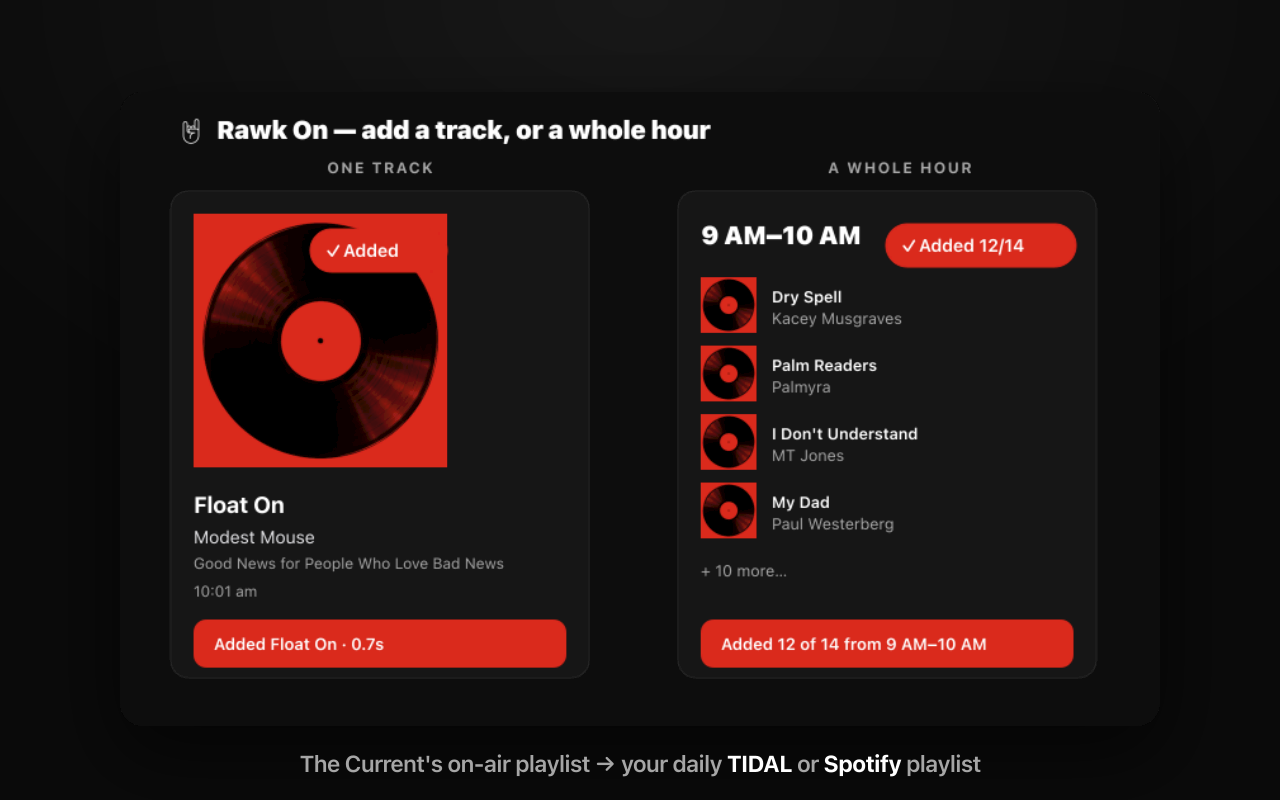
You hear something perfect on the radio and — before the DJ moves on and the name is gone — you grab it. Hover any song card for a 🤘 Add, and it's in your library half a second later.
Caught a whole hour worth keeping? Hit Add hour and the entire block lands in its own playlist — duplicates skipped, the wrong matches left behind.
Small tool. Sharp edges in the right places.
TIDAL or Spotify
Switch services anytime from Settings. Each keeps its own login and its own daily playlists — bounce between them with no re-login and nothing to reset.
The right song, not the popular one
Candidates are scored on title + artist + album. If nothing is a confident match, it adds nothing rather than the wrong track.
A playlist a day
Songs land in a dated playlist — “The Current · YYYY-MM-DD” — de-duped, so you never add the same track twice.
Resilient by default
Hit a rate limit on a big hour? It backs off and retries (HTTP 429) so the whole block still lands.
Private by design
No servers. No middleman. No tracking. You bring your own public client ID; tokens stay in your browser, nothing ever reaches us.
Built for The Current
A little 🤘 right on the on-air playlist page — made by a listener, for listeners, tuned to the eclectic mix.
Bring your own keys — that's the whole privacy story.
Before you start: Rawk On requires a paid account on each service you want to use — Spotify Premium for Spotify, and any paid TIDAL plan (individual, family, or student). TIDAL discontinued its free tier in April 2024, so all active accounts qualify.
Create a free developer app
On TIDAL or Spotify — a couple of minutes, no cost. You only do this once per service.
Paste your Client ID + Redirect URI
Copy the redirect URI from Settings into your app, add your public Client ID, and log in. No secrets, no backend.
Hover. Click. 🤘
Add any song with one click, or bank a whole hour at once. The good ones land where you can find them again.
No servers. No middleman. No tracking.
Manifest V3 · TypeScript · public-client OAuth (PKCE). Open source, and yours to read.
Free · open source · privacy policy. Rawk on. 🤘