How a 10-minute ask turned into a full-blown v0.2.0 release
It started, as these things always do, with something simple.
“Scan all my repos for CVEs and fix them.”
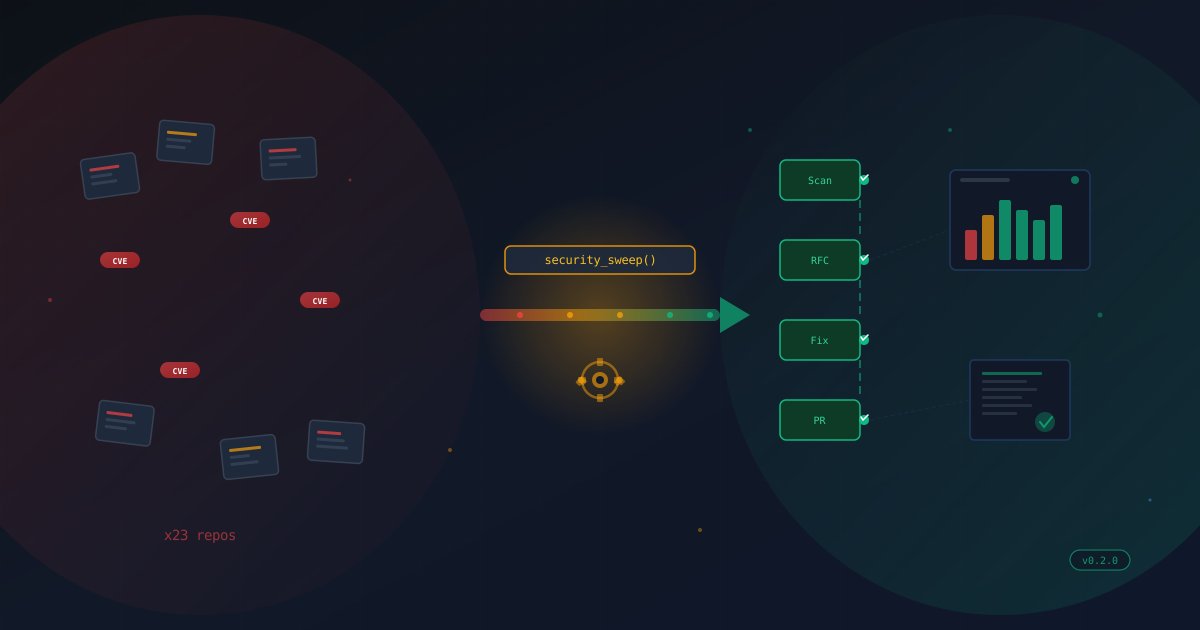
Twenty-three repositories. That’s how many I manage across my GitHub account. Node projects, Python services, Go utilities, infrastructure repos — the usual sprawl that accumulates when you build things for a living. Each one with its own dependency tree, its own lock files, its own quiet accumulation of vulnerabilities that Dependabot dutifully flags and that I dutifully ignore until guilt catches up.
Today guilt caught up.
The Manual Sweep
The first pass was exactly what you’d expect. Scan a repo. Clone it. Update the dependencies. Run the tests. Push a branch. Open a PR. Move to the next one. Repeat twenty-two more times.
If you’ve done this, you know the feeling. By repo number five, you’re already thinking about automation. By repo number ten, you’re drafting the architecture in your head. By repo fifteen, you’ve convinced yourself the automation would have been faster, even though you’re already more than halfway through.
I had git-steer — my MCP server for GitHub management — and it could already scan for vulnerabilities and dispatch fix workflows. But the workflow was still fundamentally manual. I was the loop. I was the orchestrator. Every repo required my attention, my decisions, my clicks.
Twenty-three times.
The README Moment
Somewhere in the middle of the sweep, I did what every developer should do periodically but rarely does: I re-read my own README.
It was wrong. Not dramatically wrong — the bones were right. But the codebase had drifted. Features had been added that the README didn’t mention. The architecture diagram was missing state files. The permissions section was incomplete. The kind of quiet rot that happens when you build faster than you document.
So I fixed it. And in fixing it, I had to actually think about what git-steer was versus what it could be. That’s when the conversation shifted.
”What If We Just… Automated All of It?”
The manual sweep had given me a clear picture of the pain points. Every repo needed the same sequence:
- Scan for vulnerabilities
- Determine severity
- Create a tracking issue (for audit purposes)
- Fix the dependencies
- Bump the version
- Create a branch
- Open a PR
- Link the PR to the tracking issue
- Move on
Nine steps, twenty-three repos, and zero reason any of it required a human in the loop after the initial “go” signal.
So we started talking about what an autonomous pipeline would look like. Not a theoretical one. A real one, built on the tools I already had, deployable today.
The answer was surprisingly clean: one MCP tool call that does everything.
security_sweep(severity: "high")That’s it. One call. Behind it: scan every managed repo, create RFC issues with full CVE tables and risk assessments, dispatch a GitHub Actions workflow that fixes dependencies across all repos in parallel, opens PRs that auto-close the RFC issues, and tracks every step in persistent state.
Adding the Controls
But raw automation without controls is just chaos with a cron job. If I’m going to let a bot open PRs across twenty-three repos, I need to know what it did, why it did it, and whether it worked.
This is where the project got interesting. We added:
ITIL-style Change Management. Every security sweep creates RFC (Request for Change) issues before touching any code. Each RFC includes a CVE table, severity assessment, change plan, risk analysis, and rollback strategy. The fix PR references the RFC. The RFC gets commented when the PR is created. When the PR merges, the RFC closes. Full traceability from detection to resolution.
Mean Time to Remediation. Every RFC tracks when it was opened and when it was fixed. The state manager computes MTTR across repos, severities, and time periods. Now I can answer “how fast do we fix critical vulnerabilities?” with actual data instead of vibes.
Compliance Reports. Four templates — executive summary, change records, vulnerability report, and full audit — generated from state data. Markdown output that can be committed to the state repo or returned directly. When someone asks “what’s our security posture?”, I generate a report instead of opening twenty-three browser tabs.
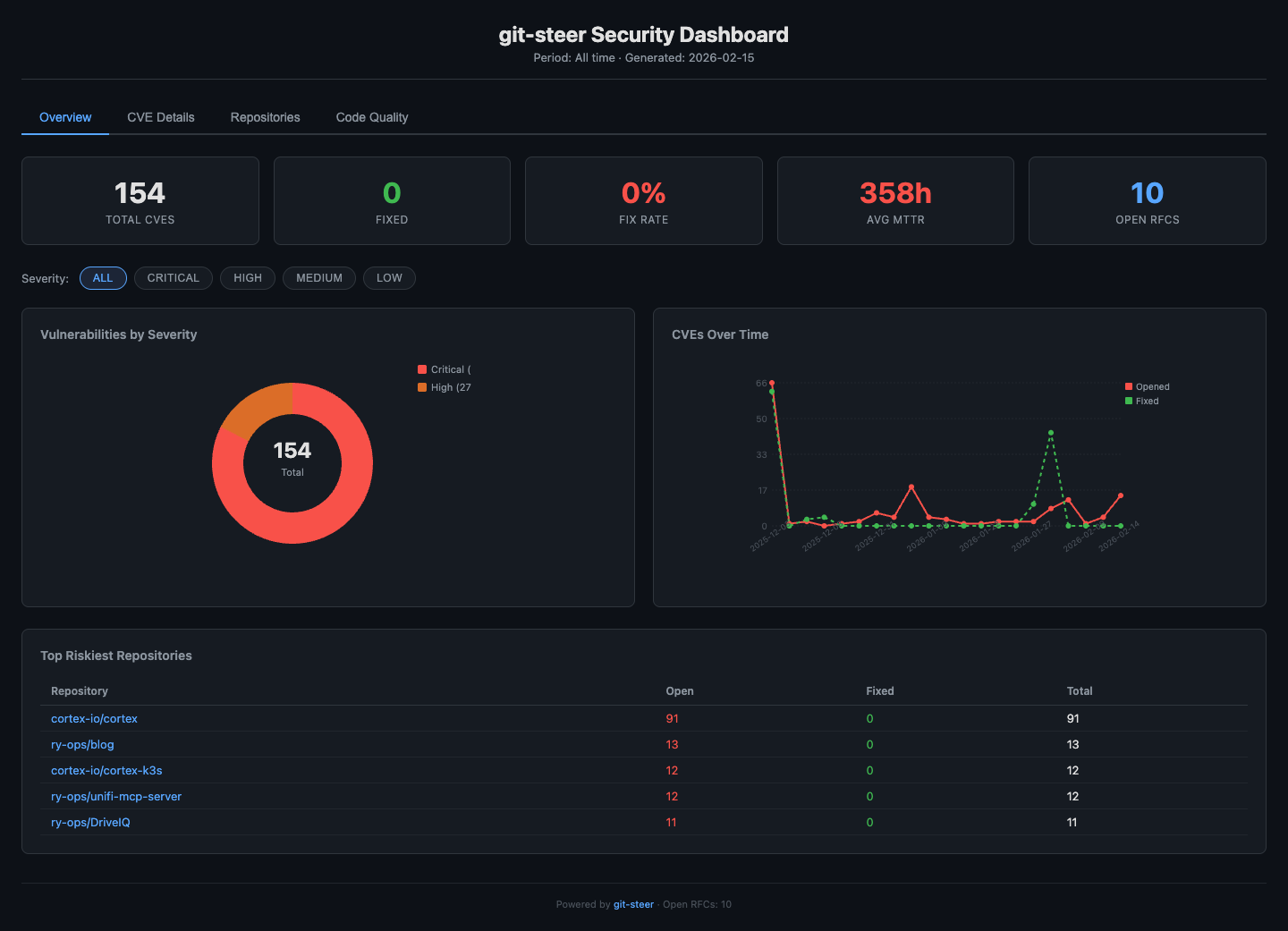
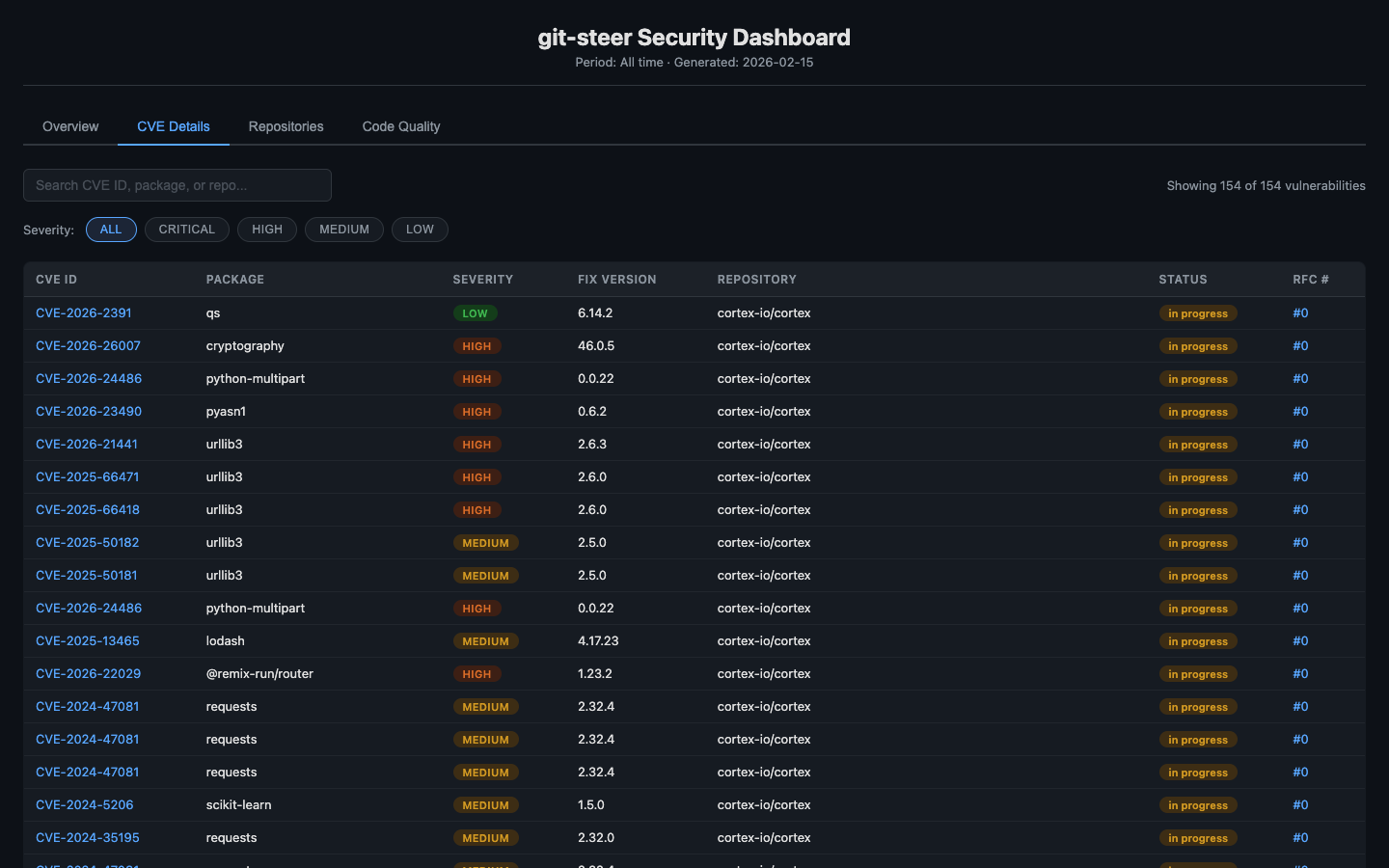
Analytics Dashboard. A static HTML page with inline SVG charts — no external dependencies, no JavaScript frameworks, no build step. Severity breakdown, CVE timeline, MTTR by repo, risk scores. Deployed to GitHub Pages with a single tool call. Because if you can’t see the trend, you can’t manage the trend.
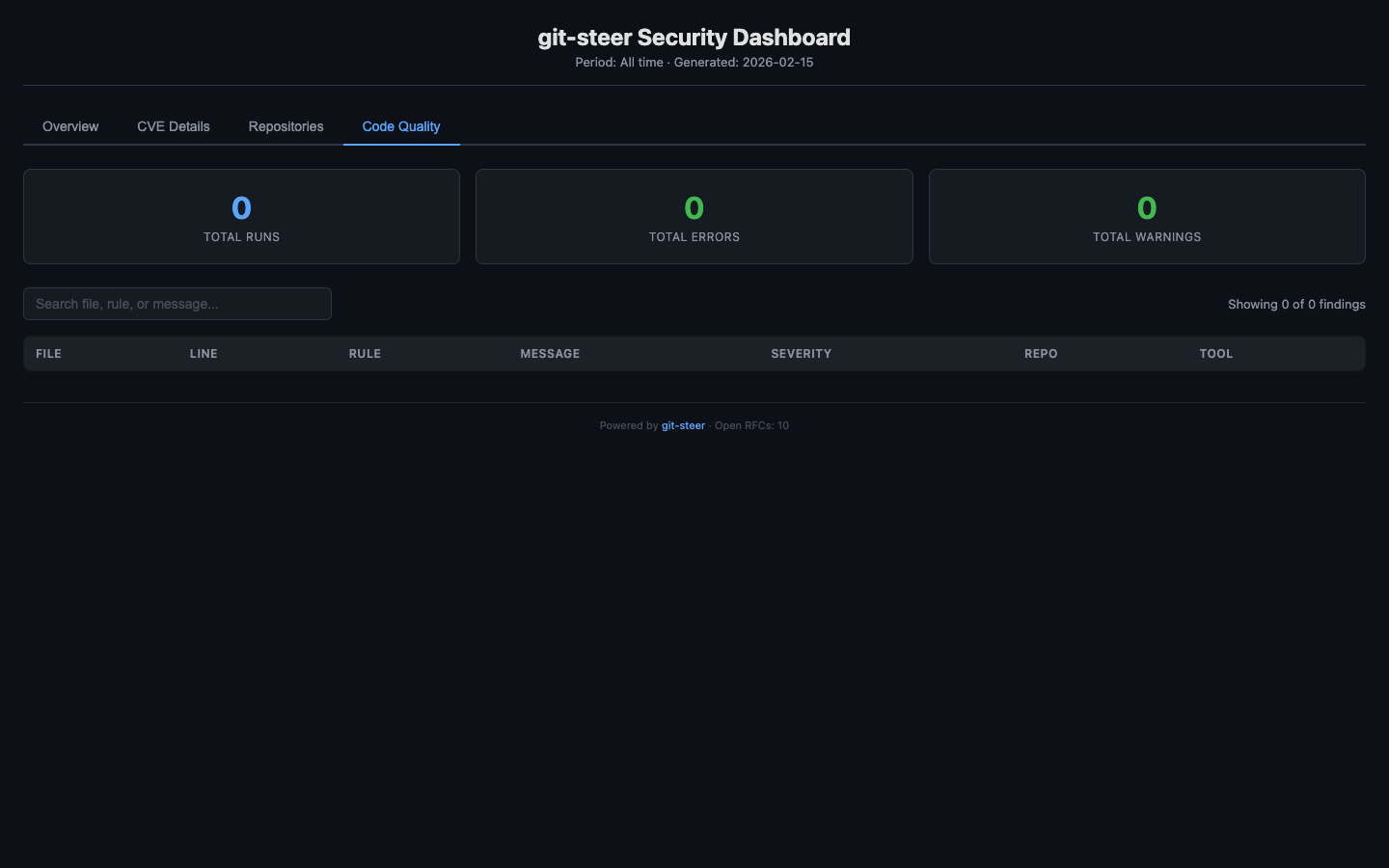
Code Quality Sweeps. While we were at it, we added linter and SAST support. ESLint, Ruff, Bandit, gosec — auto-detected from the repo’s language stack, run via GitHub Actions, results normalized and tracked. Because security vulnerabilities aren’t the only thing that accumulates in neglected repos.
The Labels
The last thing we did was also the smallest and — in some ways — the most important.
We went through every place in the codebase where an issue or PR gets created and made sure labels were being applied. security. dependencies. automated. severity:critical. code-quality. rfc.
It sounds trivial. It’s not. Labels are how you find things. They’re how you filter your issue tracker. They’re how you answer “show me all open security PRs” or “how many automated issues did we create this month?” without writing a custom query.
Every workflow now ensures its labels exist before creating issues or PRs. Every label has a consistent color and description. Every automated artifact is tagged automated so you can always distinguish bot work from human work.
Small thing. Big difference.
What Actually Shipped
Here’s the final tally for git-steer v0.2.0:
- 4 new MCP tools:
security_sweep,code_quality_sweep,report_generate,dashboard_generate - 2 new GitHub Actions workflows: autonomous security sweep with matrix strategy, multi-language code quality runner
- 7 new GitHub client methods: issues, labels, releases, code scanning
- Full state expansion: RFC lifecycle tracking, quality results, security metrics with MTTR
- Report engine: 4 compliance templates generating markdown from state data
- Dashboard: Static HTML with SVG charts, deployed to GitHub Pages
- Label system: 9 standard labels, consistently applied across all automated issues and PRs
- ~1,800 new lines across 11 files
- 0 test failures
All additive. All backward-compatible. v0.1.x users see zero changes.
The Reflection
What strikes me most about today isn’t the code. It’s the trajectory.
I sat down to fix some CVEs. A chore. The kind of thing you do on a Friday afternoon when you’re feeling responsible. And by the end of the day, I had a fundamentally different tool — one that doesn’t just help me manage repos, but manages them autonomously with audit trails, compliance reports, and analytics.
The thing is, none of this was planned. There was no PRD. No sprint planning. No Jira epic with seventeen subtasks. It was a conversation. A real one, where each answer revealed the next question.
“Can you scan my repos?” led to “Can you fix them?” which led to “Can you fix them without me?” which led to “Can you prove you fixed them?” which led to “Can you show me the trend?”
Each question was simple. The compound answer was a minor version release.
I think that’s the part that’s easy to miss when people talk about AI-assisted development. It’s not about generating code faster. It’s about having a collaborator who can keep up with the pace of your thinking. Who can hold the full context — the codebase, the patterns, the constraints — while you explore the possibility space.
Today I explored. Tomorrow, twenty-three repos will be a little safer. And the next time guilt catches up, there’s a single command for that.
security_sweep(severity: "all")Repository: github.com/ry-ops/git-steer
Live Dashboard: ry-ops.github.io/git-steer-state