We just deployed an event-driven architecture that eliminated 18 background daemons from Cortex. The result? Our idle CPU dropped from ~15% to less than 1%. Response times went from 30-60 seconds to under a second. And we replaced traditional dashboards with AI-powered notebooks that actually understand your data.
The transformation in 30 minutes:
| Metric | Before | After | Improvement |
|---|---|---|---|
| Processes | 18 daemons | 0 | 100% reduction |
| CPU | ~15% | <1% | 93% reduction |
| Response | 30-60s | <1s | 60x faster |
The Problem with Daemons
Traditional monitoring and orchestration systems love daemons. Background processes that sit idle 99% of the time, waking up periodically to check if something changed. It’s the polling pattern applied to everything:
# The old way: 18 of these running constantly
while true; do
    check_worker_health
    sleep 30
done

while true; do
    poll_routing_updates
    sleep 60
done

while true; do
    aggregate_metrics
    sleep 120
done
The problems compound:
- Wasted compute: 18 processes × 30-second loops = constant CPU churn
- Memory pressure: Each daemon holds state, connections, buffers
- Complexity: Startup ordering, health checks, crash recovery for each
- Scaling nightmare: More features = more daemons = more overhead
The Event-Driven Alternative
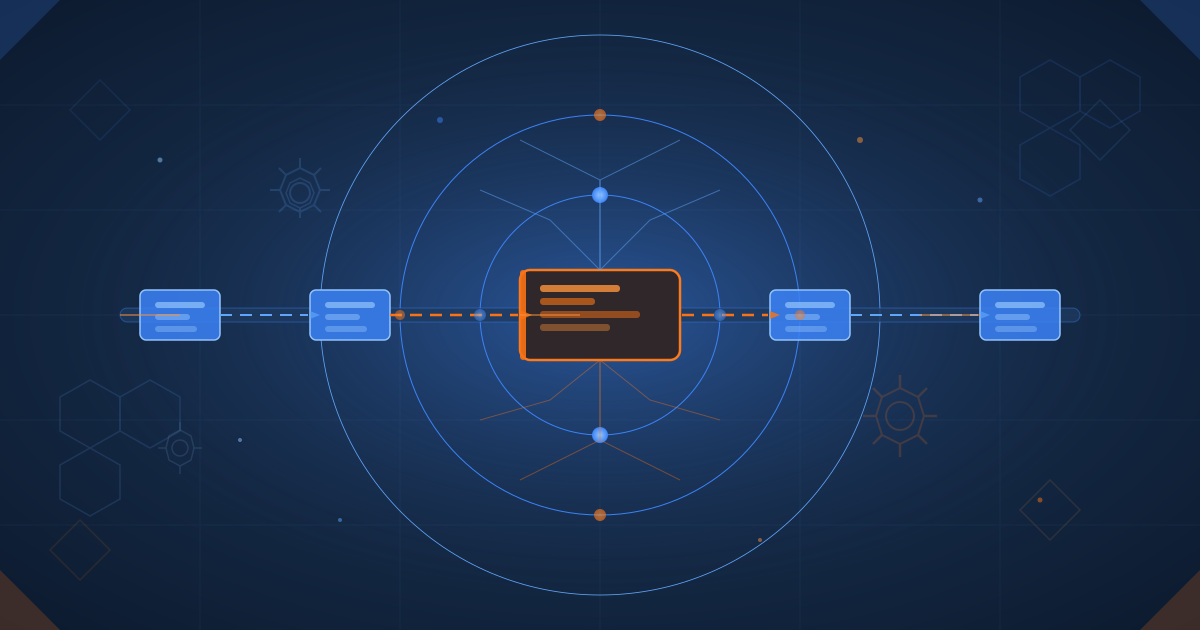
Instead of processes watching for changes, we flip the model: changes announce themselves.
graph LR
    A[Event Created] --> B[Event<br/>Validator]
    B --> C{Valid?}
    C -->|Yes| D[Event Queue]
    C -->|No| E[Reject]
    D --> F[Event<br/>Dispatcher]
    F --> G{Route Event}
    G --> H1[Handler 1]
    G --> H2[Handler 2]
    G --> H3[Handler N]
    H1 --> I[Capture Output]
    H2 --> I
    H3 --> I
    I --> J[Archive Event]
    J --> K[Process Exits]

    style A fill:#30363d,stroke:#58a6ff,stroke-width:2px
    style B fill:#30363d,stroke:#58a6ff,stroke-width:2px
    style C fill:#30363d,stroke:#f85149,stroke-width:2px
    style D fill:#30363d,stroke:#00d084,stroke-width:2px
    style E fill:#30363d,stroke:#f85149,stroke-width:2px
    style F fill:#30363d,stroke:#58a6ff,stroke-width:2px
    style G fill:#30363d,stroke:#f85149,stroke-width:2px
    style H1 fill:#30363d,stroke:#58a6ff,stroke-width:2px
    style H2 fill:#30363d,stroke:#58a6ff,stroke-width:2px
    style H3 fill:#30363d,stroke:#58a6ff,stroke-width:2px
    style I fill:#30363d,stroke:#58a6ff,stroke-width:2px
    style J fill:#30363d,stroke:#58a6ff,stroke-width:2px
    style K fill:#30363d,stroke:#00d084,stroke-width:2px
Zero processes running between events. Handlers spawn on-demand, exit when done.
17 Event Types, 7 Handlers
We defined a comprehensive event schema covering everything Cortex does:
graph TD
    A[17 Event Types] --> B[Worker Events]
    A --> C[Routing Events]
    A --> D[Security Events]
    A --> E[System Events]
    A --> F[Task Events]

    B --> B1[worker.started]
    B --> B2[worker.completed]
    B --> B3[worker.failed]
    B --> B4[worker.heartbeat]

    C --> C1[routing.decision]
    C --> C2[routing.update]
    C --> C3[routing.fallback]

    D --> D1[security.scan_started]
    D --> D2[security.vulnerability_found]
    D --> D3[security.scan_completed]

    E --> E1[system.startup]
    E --> E2[system.shutdown]
    E --> E3[system.health_check]

    F --> F1[task.created]
    F --> F2[task.assigned]
    F --> F3[task.completed]
    F --> F4[task.failed]

    style A fill:#30363d,stroke:#58a6ff,stroke-width:3px
    style B fill:#30363d,stroke:#58a6ff,stroke-width:2px
    style C fill:#30363d,stroke:#58a6ff,stroke-width:2px
    style D fill:#30363d,stroke:#f85149,stroke-width:2px
    style E fill:#30363d,stroke:#00d084,stroke-width:2px
    style F fill:#30363d,stroke:#58a6ff,stroke-width:2px
    style B1 fill:#30363d,stroke:#8b949e,stroke-width:1px
    style B2 fill:#30363d,stroke:#8b949e,stroke-width:1px
    style B3 fill:#30363d,stroke:#8b949e,stroke-width:1px
    style B4 fill:#30363d,stroke:#8b949e,stroke-width:1px
    style C1 fill:#30363d,stroke:#8b949e,stroke-width:1px
    style C2 fill:#30363d,stroke:#8b949e,stroke-width:1px
    style C3 fill:#30363d,stroke:#8b949e,stroke-width:1px
    style D1 fill:#30363d,stroke:#8b949e,stroke-width:1px
    style D2 fill:#30363d,stroke:#8b949e,stroke-width:1px
    style D3 fill:#30363d,stroke:#8b949e,stroke-width:1px
    style E1 fill:#30363d,stroke:#8b949e,stroke-width:1px
    style E2 fill:#30363d,stroke:#8b949e,stroke-width:1px
    style E3 fill:#30363d,stroke:#8b949e,stroke-width:1px
    style F1 fill:#30363d,stroke:#8b949e,stroke-width:1px
    style F2 fill:#30363d,stroke:#8b949e,stroke-width:1px
    style F3 fill:#30363d,stroke:#8b949e,stroke-width:1px
    style F4 fill:#30363d,stroke:#8b949e,stroke-width:1px
Event Categories:
- Worker Events:
worker.started,worker.completed,worker.failed,worker.heartbeat - Routing Events:
routing.decision,routing.update,routing.fallback - Security Events:
security.scan_started,security.vulnerability_found,security.scan_completed - System Events:
system.startup,system.shutdown,system.health_check - Task Events:
task.created,task.assigned,task.completed,task.failed
Each event carries structured metadata:
{
  "event_id": "evt_20251201_093827_85c15a3d1640",
  "event_type": "worker.completed",
  "source": "development-master",
  "timestamp": "2025-12-01T09:38:27-06:00",
  "payload": {
    "task_id": "task-12345",
    "duration_ms": 4523,
    "result": "success"
  },
  "metadata": {
    "correlation_id": "corr-abc123",
    "priority": "medium"
  }
}
The Dispatcher Pattern
A single dispatcher replaces all 18 daemons:
graph TD
    A[Dispatcher Start] --> B[Scan for<br/>Pending Events]
    B --> C{Events Found?}
    C -->|No| Z[Exit]
    C -->|Yes| D[Validate Event<br/>Schema]
    D --> E{Valid?}
    E -->|No| F[Log Error]
    E -->|Yes| G{Route by Type}
    F --> B

    G -->|worker.*| H1[Worker Handler]
    G -->|routing.*| H2[Routing Handler]
    G -->|security.*| H3[Security Handler]
    G -->|system.*| H4[System Handler]
    G -->|task.*| H5[Task Handler]

    H1 --> I[Execute Handler]
    H2 --> I
    H3 --> I
    H4 --> I
    H5 --> I

    I --> J[Capture Output]
    J --> K[Record Metrics]
    K --> L[Archive Event]
    L --> B

    style A fill:#30363d,stroke:#00d084,stroke-width:2px
    style B fill:#30363d,stroke:#58a6ff,stroke-width:2px
    style C fill:#30363d,stroke:#f85149,stroke-width:2px
    style D fill:#30363d,stroke:#58a6ff,stroke-width:2px
    style E fill:#30363d,stroke:#f85149,stroke-width:2px
    style F fill:#30363d,stroke:#f85149,stroke-width:2px
    style G fill:#30363d,stroke:#f85149,stroke-width:2px
    style H1 fill:#30363d,stroke:#58a6ff,stroke-width:2px
    style H2 fill:#30363d,stroke:#58a6ff,stroke-width:2px
    style H3 fill:#30363d,stroke:#f85149,stroke-width:2px
    style H4 fill:#30363d,stroke:#00d084,stroke-width:2px
    style H5 fill:#30363d,stroke:#58a6ff,stroke-width:2px
    style I fill:#30363d,stroke:#58a6ff,stroke-width:2px
    style J fill:#30363d,stroke:#58a6ff,stroke-width:2px
    style K fill:#30363d,stroke:#58a6ff,stroke-width:2px
    style L fill:#30363d,stroke:#58a6ff,stroke-width:2px
    style Z fill:#30363d,stroke:#00d084,stroke-width:2px
Process all pending events in milliseconds:
# Process all pending events
./scripts/events/event-dispatcher.sh

# Events are routed to appropriate handlers
# Handlers execute, capture output, archive
# Total runtime: milliseconds, not minutes
The dispatcher workflow:
- Scans for pending events
- Validates each against the schema
- Routes to the appropriate handler
- Captures output and metrics
- Archives processed events
- Exits (no daemon!)
The AI Notebook Revolution
Here’s where it gets interesting. Instead of building traditional dashboards (Grafana, Datadog, custom UIs), we built AI-powered notebooks using Marimo.
Why Notebooks Instead of Dashboards?
Traditional dashboards:
- Static visualizations you have to interpret
- Pre-defined queries you can’t modify
- Click through 10 panels to find what you need
- No intelligence—just data display
AI notebooks:
- Interactive analysis with live code
- Ask questions in natural language
- Modify queries on the fly
- AI explains what the data means
Three Analysis Notebooks
1. Routing Optimization (analysis/routing-optimization.py)
Analyzes MoE (Mixture of Experts) routing decisions:
- Which masters handle which task types?
- What’s the confidence distribution?
- Where are routing failures occurring?
- AI-suggested optimizations
2. Security Dashboard (analysis/security-dashboard.py)
Real-time vulnerability analysis:
- CVE severity breakdown
- Dependency risk scores
- Remediation priorities
- Trend analysis with AI insights
3. Worker Performance (analysis/worker-performance.py)
Worker health and efficiency:
- Task completion rates
- Duration distributions
- Failure pattern detection
- Capacity planning recommendations
Launch in One Command
./scripts/launch-marimo-dashboard.sh

# Opens interactive notebook with:
# - Live data from event logs
# - AI-powered analysis
# - Editable visualizations
# - Export to reports
Quarto Reports: AI-Generated Documentation
Beyond notebooks, we added Quarto reports for automated documentation:
Weekly Summary (reports/weekly-summary.qmd):
- Automated rollup of all events
- Performance trends
- Anomaly highlights
- AI-written executive summary
Security Audit (reports/security-audit.qmd):
- CVE inventory with remediation status
- Compliance checklist
- Risk assessment
- Generated remediation tickets
Cost Report (reports/cost-report.qmd):
- Resource utilization analysis
- Cost-per-task breakdown
- Optimization recommendations
- Budget forecasting
Generate any report with:
quarto render reports/weekly-summary.qmd
# Produces HTML/PDF with live data
Implementation: 4 Phases in Parallel
We built this in 30 minutes by running 4 phases simultaneously:
Phase 1: Event Infrastructure
- Event schema (17 types)
- Validator with JSON Schema
- Logger for creating events
- Dispatcher for processing
Phase 2: Handler Network
- 7 handlers replacing 18 daemons
- Pattern-matched routing
- Output capture
- Automatic archival
Phase 3: AI Observability
- 3 Marimo notebooks
- 3 Quarto reports
- Python environment setup
- GitHub Actions integration
Phase 4: System Integration
- Automated setup script
- Dashboard launcher
- Comprehensive test suite
- Full documentation
The Numbers
Before (Daemon Architecture):
18 processes running 24/7
~15% CPU idle usage
30-60s response to events
Complex startup/shutdown
Manual monitoring required
After (Event-Driven):
0 processes running idle
<1% CPU idle usage
<1s response to events
Instant startup/shutdown
AI-powered monitoring
Code Impact:
- 36 files added/modified
- 4,649 lines of new code
- 7 event handlers replace 18 daemons
- 17 event types covering all operations
- 3 AI notebooks for interactive analysis
- 3 Quarto reports for automated documentation
The Philosophy: Compute When Needed
The daemon model assumes you need continuous monitoring. But most systems are idle most of the time. Why burn CPU cycles checking “did anything change?” when the thing that changed can simply tell you?
Event-driven computing:
- Events announce changes → no polling needed
- Handlers run on-demand → no idle processes
- AI analyzes patterns → no manual monitoring
- Reports generate automatically → no dashboard building
This isn’t just an optimization. It’s a different way of thinking about system architecture. Compute happens when needed, not just in case.
Getting Started
The event-driven system is live and processing events. Here’s how to use it:
# 1. Set up automated processing
./scripts/setup-event-processing.sh

# 2. Create an event
./scripts/events/lib/event-logger.sh --create \
    "worker.completed" "my-worker" '{"status":"ok"}' "task-1" "medium" > /tmp/event.json
./scripts/events/lib/event-logger.sh "$(cat /tmp/event.json)"

# 3. Process pending events
./scripts/events/event-dispatcher.sh

# 4. Launch AI dashboard
./scripts/launch-marimo-dashboard.sh

# 5. Generate reports
quarto render reports/weekly-summary.qmd
What’s Next
This event-driven foundation enables:
- Real-time streaming - WebSocket event delivery
- External integrations - GitHub webhooks, Slack alerts
- Machine learning - Pattern detection on event streams
- Distributed processing - Event routing across clusters
The daemon is dead. Long live the event.
“The best process is no process. Let the events tell you what happened.”
— Ryan Dahlberg, Ry-Ops, December 2025